EL 21
E
5 B .
[ Room
Acoustics ] ( ).
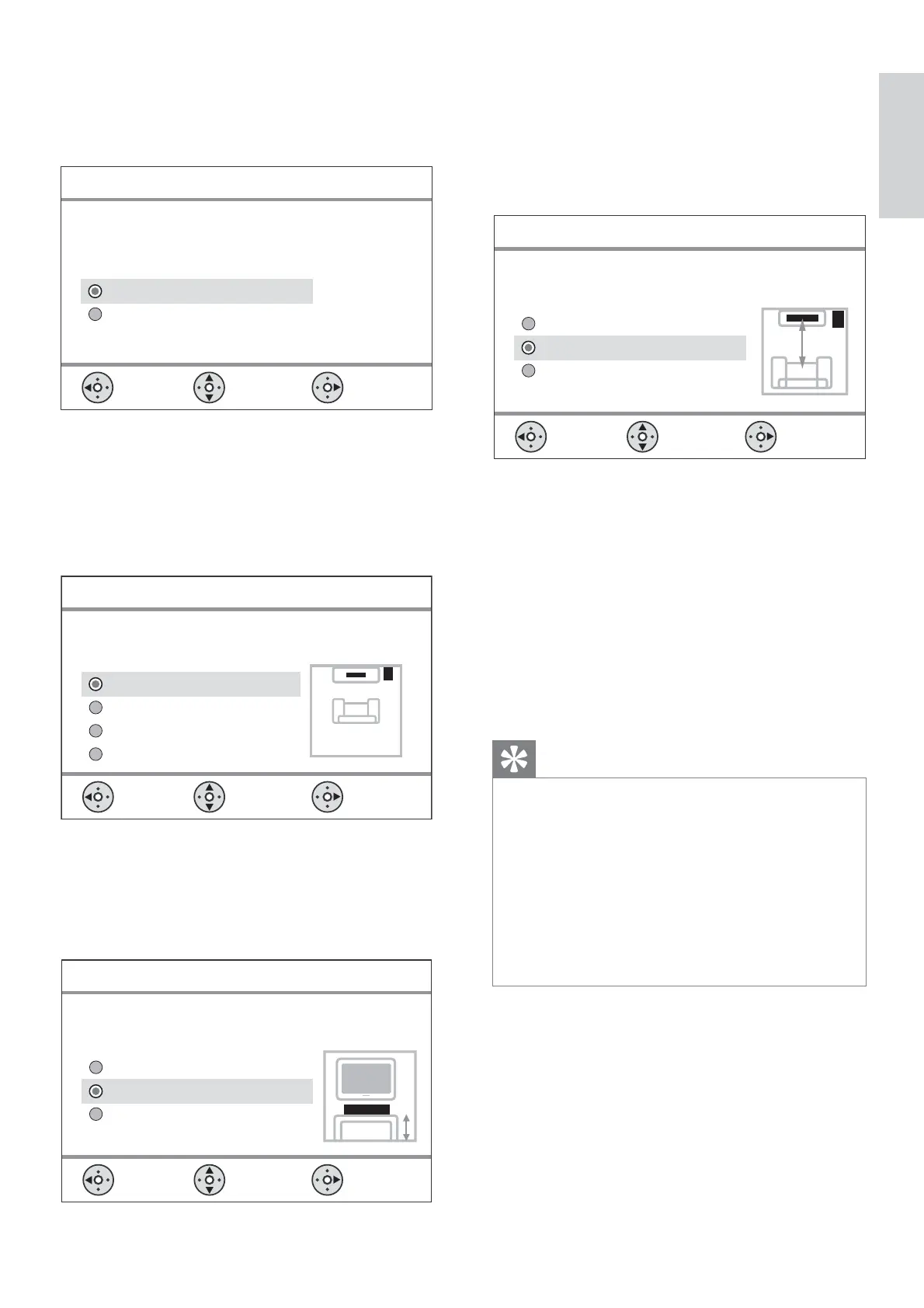
Please select the type of walls that surround
your room:
Select
Room Acoustics
Back
Change
Soft (Curtains, open space)
Hard (Concrete, wood)
6
B.
[ Room
Placement ] (
).
Select the Sound Bar system placement position
in your room:
Select
Room Placement
Back
Change
Near the right wall
Corner of room
Near the left wall
Middle of room
7 Home
Cinema DVD (SoundBar)
B.
[ Height ] ().
Select the height at which your SoundBar system
is placed:
Select
Height
Back
Change
High (> 1.2m / 47in)
Low (< 0.8m / 32in )
Default (0.8-1.2m / 32-47in)
8
Home Cinema
DVD (SoundBar) B.
[ Listening
Position ] ( ).
Select the distance between your listening position
and the SoundBar system:
Select
Listening Position
Back
Change
Near (> 2m / 78in )
Far (< 3m / 118in)
Default (2-3m / 78-118in)
9
B.
10 ,
B .
Home Cinema DVD
.
, •
‘ ’
- [ General setup ] ( ) > [ OSD
Language ] ( )
.
•
HDMI CEC HDMI,
.
1_hts8141_eu_grk4_with dock.indd 21 8/5/2009 9:49:11 AM


 To Next Page
 Loading...