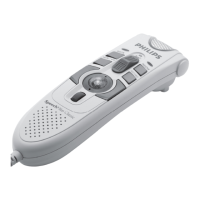
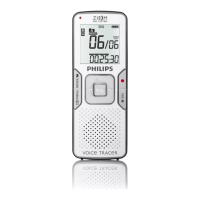
12 Quick reference guide
6 Delete
C Important: Before deleting a dictation, make sure that the dictation is not marked finished
and that the memory card is not set to read-only (locked). If the dictation is marked finished,
unlock it by pressing the EOL button once.
6. Delete a dictation
Follow these steps to delete a dictation entirely:
The 4-position slide switch (2) must be in the STOP position.
2 Press the + and - button (5) to select the dictation to be deleted.
3 Press the MENU button (4) to open the Digital Pocket Memo menu.
4 Press the + and - button to highlight the DELETE FILE menu item and press the ENTER
smart button (2b).
5 Press the OK smart button to delete the dictation permanently. Press the CANCEL smart
button to cancel the operation and leave the dictation intact.
6.2 Delete part of a dictation
Follow these steps to delete a section from a dictation:
Navigate to the beginning of the section to be deleted by playback or fast forward/fast
rewind.
2 Move the 4-position slide switch (2) to the STOP position and press the MENU button (4)
to open the Digital Pocket Memo menu.
3 Press the + or - button (5) to highlight the DEL SECTION MODE menu item and press the
ENTER smart button (2b) and the OK smart button (2a).
4 Press the MARK smart button (2b). A cross symbol appears on the screen.
5 Find the second mark position by playback or fast forward / fast rewind.
6 Move the 4-position slide switch to the STOP position and press the MARK 2 smart button
(2b). The second cross appears.
7 Press the DELETE smart button (2b) and the OK smart button (2a) to confirm the deletion
of the marked section, or press the BACK (2a) smart button to exit without deleting.
9600_qrg_20070108.indb 12 22/02/2007 14:32:47



 To Next Page
 Loading...