11EN
network. In.Sight uses secure peer to peer
networking solution which provides a
secure, encrypted connection each time
your camera is viewed from a remote
location. To learn more about secure
connectivity with Philips In.Sight, visit http://
www.yoics.com. This method of networking
will work with most standard router
settings and is also typically compatible
with most anti-virus and internet security
programs. On-line test diagnostic is
available to determine if your network is
compatible with these modern internet
applications: http://www.yoics.com/
yp_diags.php
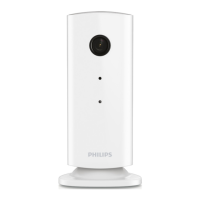
What do the colored LED lights on the
monitor mean?
• No light: no power is connected to
monitor
• Solid amber light: Monitor is booting up
• Blinking amber light: Monitor is ready to
set-up, follow App on-screen instructions
(refer to '4 – Set-Up')
• Blinking green light: Monitor is connecting
to Wi-Fi network
• Solid green light: Monitor is connected to
Wi-Fi network and ready to use
Video streaming is slow or has a delay.
• The speed of login and getting the video
feed from the monitor highly depends on
the speed of the connection you are using.
• The Internet speed either from your Wi-Fi
network or 3G/Edge highly inuences the
performance of the App. The faster the
connection speed, the faster you can see
the video from the Monitor.
• Philips recommends high-speed Internet
connection of 800kbps upload speed or
above for your Wi-Fi router.
When on a remote network (either another
Wi-Finetworkoron3G),Icanonlywatchfor
5 minutes.
• When on a remote network – either Wi-Fi
or on 3G, you can only watch 5 minutes
per session. You have unlimited sessions
per day. If you want to watch longer per
session, in-app upgrades are available. Go
to ‘Settings ( )’ – ‘General (General)’
and select ‘Service Plan (Service Plan)’
for Apple, ‘Upgrade account(Upgrade
account)’ for Android.
• When you are on your local Wi-Fi
network, you have unlimited viewing
time(for Android), 2 hours limited viewing
time (for Apple).
I can only share to 2 friends, how can I share
to more friends?
• When you want to share to more than
2 friends, in-app upgrades are available.
Go to ‘Settings( )’ – ‘General (General)’
and select ‘Service Plan (Service Plan)’
for Apple, ‘Upgrade account(Upgrade
account)’ for Android.


 To Next Page