Troubleshooting
7-104 Maintenance, Troubleshooting, and Repair
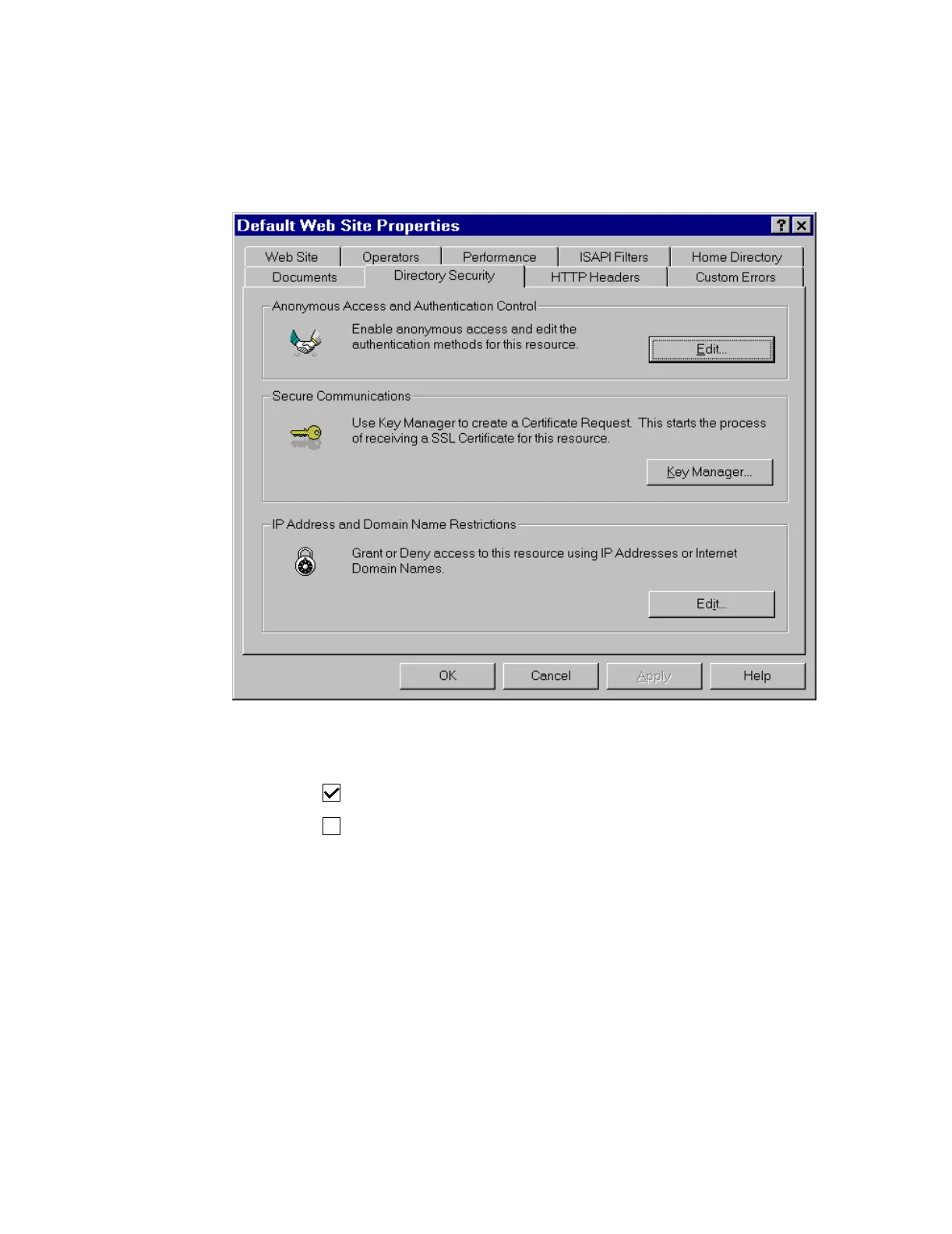
Step 29. Click on the Directory Security tab in the Default Web Site Properties
window.
Step 30. Click Edit in the Anonymous Access and Authentication Control field to open
the Authentication Methods window.
Step 31. Make the following settings in the Authentication Methods fields:
Allow Anonymous Access
Basic Authentication (Password is sent in Clear Text)



 To Next Page