Site Preparation
4-26 Site Planning and Preparation
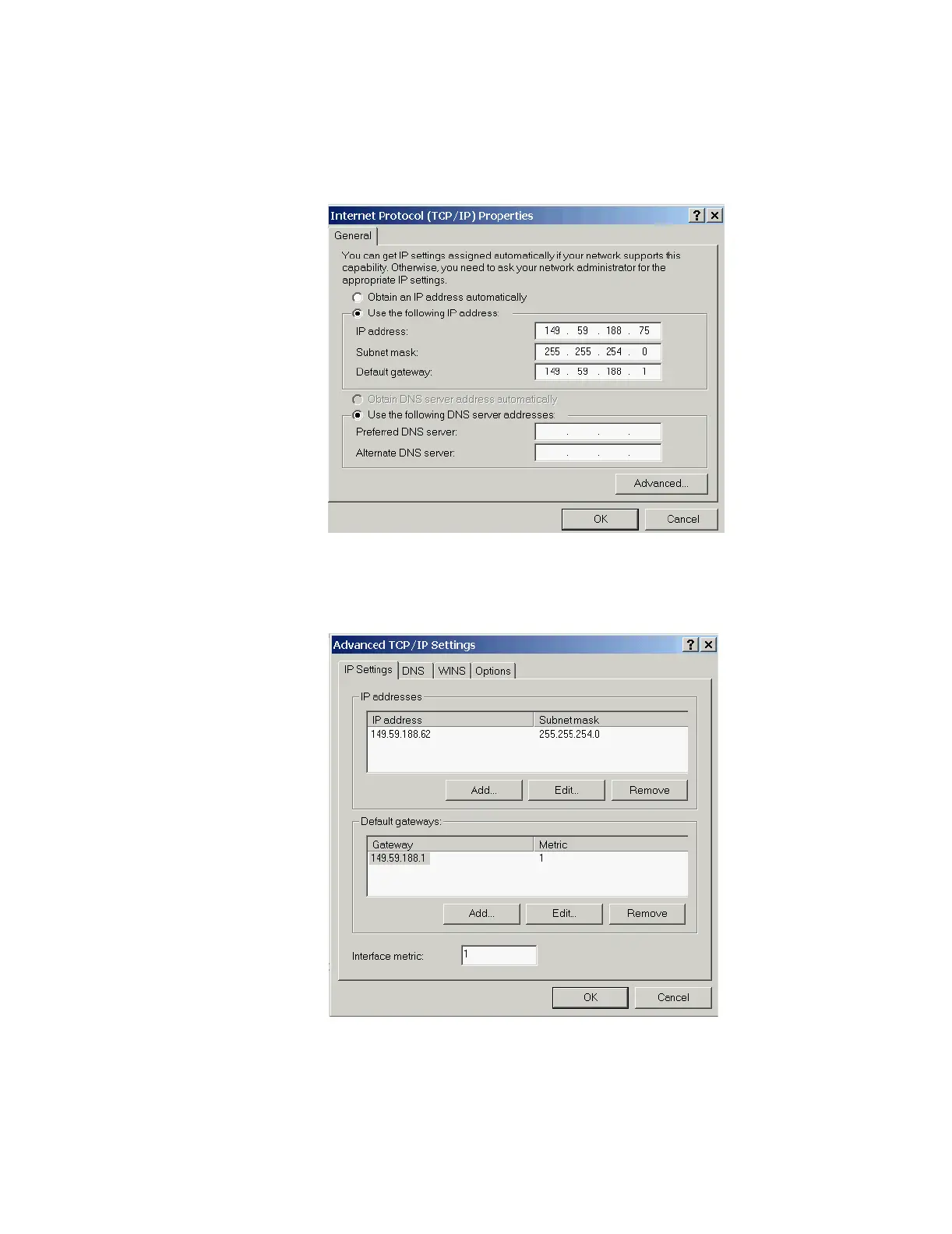
Step 5. The TCP/IP Properties, including the IP Address, Subnet mask, Default Gateway and
DNS settings can be entered.
Figure 4-12 Windows XP Hospital LAN TCP/IP Settings
Step 6. Click on the Advanced button and click on the DNS and/or WINS tabs to enter in the
DNS/WINS settings if required.
Figure 4-13 Windows XP Hospital LAN TCP/IP Advanced Settings



 To Next Page