Troubleshooting
Maintenance, Troubleshooting, and Repair
7-103
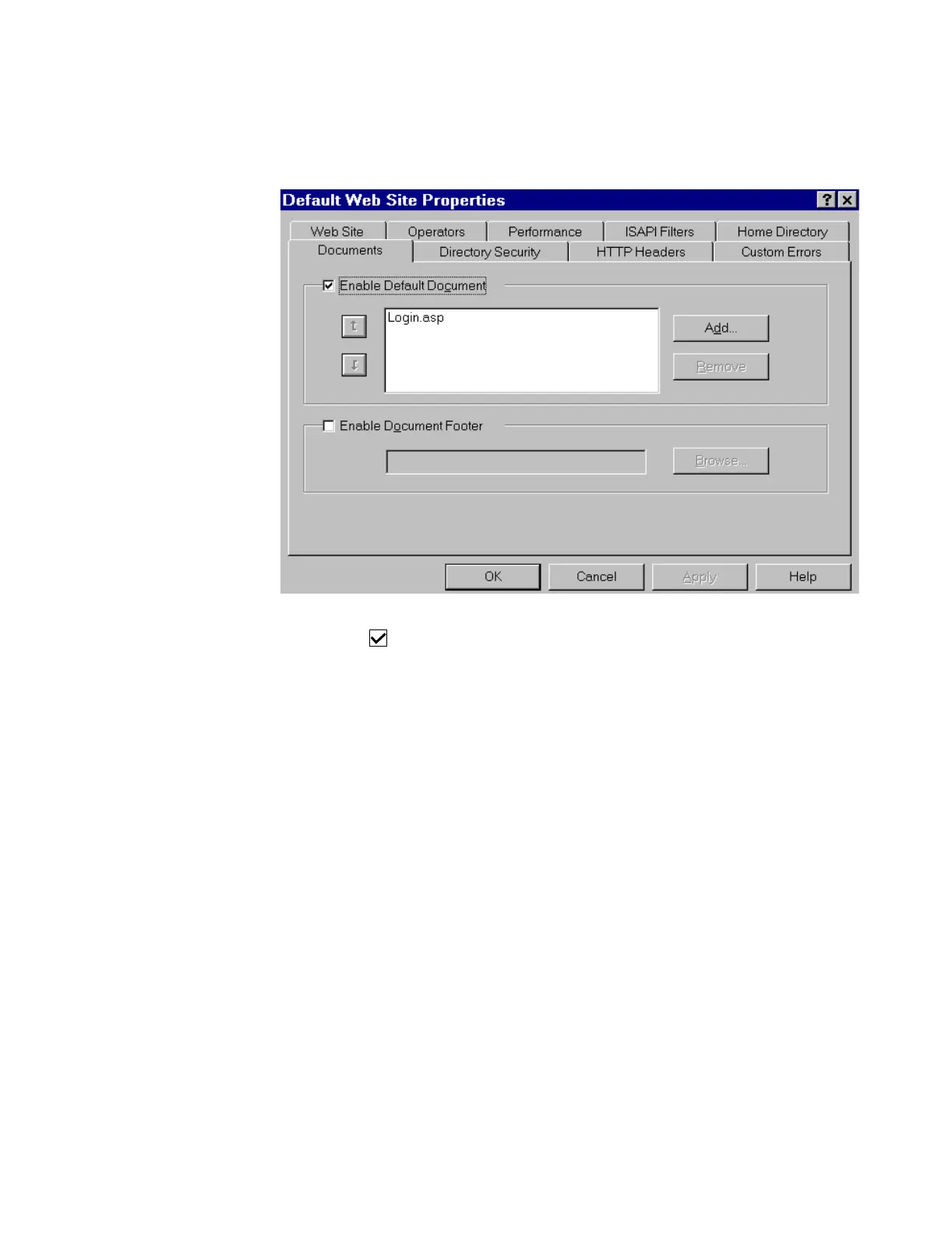
Step 25. Click on the Documents tab in the Default Web Site Properties window.
Step 26. Make the following setting in the Documents window:
Enable Default Document
Step 27. Remove all documents from the Enable Default Document field by:
– click on a document name to select it for removal (multiple documents cannot be
selected)
– click Remove
Step 28. Add the Login.asp document to the Enable Default Document field by:
– click Add to open the Add window
–type Login.asp in the Document field
– click OK to close the Add window
Login.asp should now be the only document in the Enable Default Document field.



 To Next Page