4
MC 118 / 22 page 4
English
CONTROLS AND CONNECTIONS
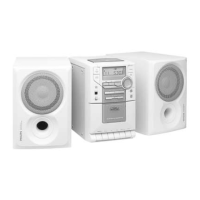
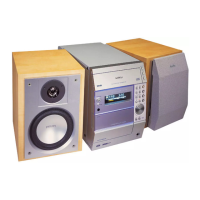
Top and front panels
1 STANDBY ON y . switches the set to standby/on
2 SELECT SOURCE . selects the sound source for
CD/ TUNER/ TAPE / AUX;
switches on the set
3 INTERACTIVE SOUND controls:
DBB. . . . . . . . . . . (Dynamic Bass Boost)
enhances the bass
DSC. . . . . . . . . . . (Digital Sound Control)
selects sound characteristics:
OPTIMAL/ROCK/JAZZ/POP
INCREDIBLE
SURROUND . . . . . creates a super-enhanced stereo
effect
4 Display . . . . . . . . shows the status of the set
5 VOLUME . . . . . . . adjusts the volume level;
adjusts the hour and minutes for the
clock/ timer functions
6 TIMER ON•OFF . . . activates, sets and deactivates the
timer function
7 PROGRAM
CD: . . . . . . . . . . . programmes tracks and reviews the
programme;
Tuner: . . . . . . . . . programmes tuner stations manually
or automatically
8 OPEN•CLOSE . . . opens/ closes the CD door
9 RDS / CLOCK . . . . displays RDS information;
sets the clock function
0 iR SENSOR . . . . . infrared sensor for remote control
! REPEAT/BAND
CD: . . . . . . . . . . . repeats a track/CD programme/
entire CD
Tuner: . . . . . . . . . selects waveband;
@ PRESET 4 . . . . . . selects a preset tuner station (down)
STOP 9 . . . . . . . . stops CD playback or erase a CD
programme
PRESET 3 . . . . . . selects a preset tuner station (up);
PLAY•PAUSE 2;. starts or interrupts CD play
# TUNING 5, 6 . . (down, up) tunes to radio stations;
PREV ¡1,
NEXT 2™ . . . . . . searches back and forward within a
CD track;
skips to the beginning of a current
track/ previous/ subsequent track
$ CASSETTE RECORDER keys:
RECORD. . . . . . . . starts recording
PLAY 2 . . . . . . . . starts playback
5/6 . . . . . . . . . fast rewinds/winds the tape
STOP•OPEN . . . . stops the tape;
opens the cassette compartment
PAUSE . . . . . . . . . interrupts recording or playback
% SHUFFLE . . . . . . . plays CD tracks in random order
Back panel
^ AM AERIAL . . . . . connect the supplied AM frame
aerial here
& FM AERIAL 75 Ω connect the supplied aerial wire or
an antenna wall connection here
* SPEAKERS 8 Ω . . connect the supplied speakers here
( p . . . . . . . . . . . . . 3.5 mm stereo headphone socket
) AC MAINS. . . . . . after all other connections have
been made, connect the mains lead
to the wall socket.
¡ Voltage selector .
on the bottom of the set
on some versions only
™ AUX IN . . . . . . . . connect to the audio output of an
additional appliance
Remote control
y . . . . . . . . . . . . . . switches the set to standby
CD, TAPE,
TUNER, AUX . . . . . . . selects the respective sound source
TIMER . . . . . . . . . . . . activates and deactivates the timer
SLEEP . . . . . . . . . . . . activates and deactivates the
sleeper time; selects sleeper time
DBB . . . . . . . . . . . . . . (Dynamic Bass Boost)
enhances the bass
DSC . . . . . . . . . . . . . . (Digital Sound Control)
selects sound characteristics:
OPTIMAL/ROCK/JAZZ/POP
INCR.SURR . . . . . . . . creates a super-enhanced stereo
effect
MUTE . . . . . . . . . . . . interrupts and resumes sound
reproduction
SIDE/ ; . . . . . . . . . . . interrupts CD playback
NEWS/TA . . . . . . . . . activates RDS news and Traffic
Announcement
(not all versions)
VOLUME –, + . . . . . . adjusts volume level
2 . . . . . . . . . . . . . . starts CD playback
¡,™. . . . . . . . . . . . . . CD: skips to the beginning of a
current track/ previous/ subsequent
track;
Tuner: (down, up) selects a preset
radio station
9 . . . . . . . . . . . . . . stops CD playback or erases a CD
programme
5,6 . . . . . . . . . . . . CD: searches backwards or forwards
within a track/CD
Tuner: (down, up) tunes to radio
stations
REPEAT . . . . . . . . . . . repeats a track/ CD programme/
entire CD
SHUFFLE . . . . . . . . . . to play CD tracks in random order
PROGRAM . . . . . . . . CD: programmes tracks and reviews
the programme;
Tuner: programmes radio stations or
starts Auto programming.
Note: select the desired sound source first (e.g. CD), then
press the required function key (e.g.
2
).



 To Next Page