Need help?
Do you have a question about the Philips MCD 190 and is the answer not in the manual?
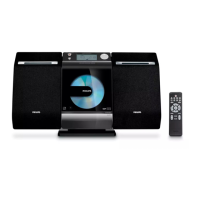
The Philips MCD 190 is a compact and versatile DVD micro system designed to provide an enjoyable audio and video experience in a small footprint. This system integrates multiple entertainment functions, making it a central hub for various media types, from playing DVDs and CDs to tuning into radio stations. Its design emphasizes ease of use, allowing users to quickly set up and enjoy their content without complex configurations.
The primary function of the Philips MCD 190 is to serve as a comprehensive home entertainment system, offering both visual and auditory playback capabilities. At its core, it features a DVD player that supports a wide array of disc formats, including DVD Video, Video CD (VCD), Super VCD (SVCD), and Audio CD. This broad compatibility ensures that users can enjoy their existing movie and music collections without issues. Beyond standard DVDs, the system also supports DVD+RW discs, offering flexibility for recorded content, though it's important to note that recording to these discs is not a feature of this specific unit. For music enthusiasts, the system extends its playback capabilities to MP3-CDs, allowing for hours of music from a single disc, which is a significant advantage for those with large digital music libraries.
In addition to disc playback, the MCD 190 incorporates a built-in radio tuner, enabling users to listen to their favorite MW (Medium Wave) radio stations. This feature adds another layer of entertainment, providing access to news, music, and talk shows. The system is designed with an integrated FM pigtail antenna for FM reception, simplifying setup by eliminating the need for an external FM antenna connection. For MW reception, an external MW loop antenna is provided, which can be easily connected to enhance signal quality.
The audio output of the system is delivered through two speakers, designed to provide clear and balanced sound. These speakers are connected to the main unit via color-coded wires, ensuring correct polarity and channel assignment (right and left). The system's amplifier is optimized to drive these speakers, creating an immersive listening experience for both movies and music.
For video output, the MCD 190 offers a composite video jack, allowing connection to a television set. This standard connection ensures compatibility with most TVs, displaying the DVD content or system menus on the larger screen. The system also supports various TV color systems, such as NTSC and PAL, and offers an auto-detection feature to match the TV's settings, ensuring optimal picture quality.
The user interface is designed for intuitive navigation. The front panel of the main unit features essential controls, including a standby/on button and disc source selection. The included remote control provides comprehensive command over all system functions, from disc playback controls (play, pause, stop, skip, repeat, shuffle) to system menu navigation and volume adjustment. This remote control centralizes access to all features, enhancing user convenience.
Setting up the Philips MCD 190 is straightforward, designed to get users enjoying their media quickly. The initial connection process involves connecting the speakers to the main unit, ensuring the right speaker connects to the "RIGHT" terminal and the left speaker to the "LEFT" terminal, following the color-coded wires for positive and negative connections. For radio reception, the MW antenna is connected to the "MW AERIAL" terminal. The system's video output is connected to the TV's video input using the supplied composite video cable, typically a yellow RCA connector. Finally, the power cord is connected to an AC power outlet.
Once connected, the system can be powered on using either the front panel button or the remote control. The TV should then be switched to the correct video input channel to display the system's interface. The system features a blue Philips DVD background screen, indicating a successful video connection.
The MCD 190 includes a system menu that allows users to customize various settings. This menu is accessible via the remote control and provides options for configuring TV system settings (NTSC, PAL, AUTO), screen saver preferences, and TV type. A crucial aspect of setup is configuring the language preferences, where users can select their preferred OSD (On-Screen Display) language, audio language, subtitle language, and menu language. This ensures that the system's interface and content playback are tailored to the user's linguistic needs.
Loading a disc is a simple process. After selecting the disc source, the user presses the "OPEN/CLOSE" button on the top of the DVD player to open the disc tray. A DVD disc is then placed label-side up into the tray, and the tray is closed. The system will then display a disc menu, from which users can select their desired playback feature or item using the remote control's navigation buttons or numeric keypad. Playback typically starts automatically after selection.
The remote control offers a full suite of playback controls, including play, pause, stop, fast forward, rewind, skip tracks/chapters, repeat, and shuffle. Advanced features like A-B repeat, program playback, and slow motion are also available. For radio, the remote allows tuning to different stations. The system also includes sound enhancement features such as Dynamic Bass Boost (DBB) and various Digital Sound Control (DSC) modes (e.g., Class, Jazz, Rock, Pop) to tailor the audio output to different music genres or personal preferences.
The Philips MCD 190 is designed for low maintenance, focusing on user convenience and durability. Regular maintenance primarily involves keeping the unit and its components clean to ensure optimal performance and longevity.
For the main unit and speakers, it is recommended to use a soft, dry cloth to wipe away dust and fingerprints. Avoid using abrasive cleaners, solvents, or chemical sprays, as these can damage the finish or internal components. The disc tray area should also be kept clean to prevent dust or debris from interfering with disc loading and playback.
Discs themselves should be handled with care. Always hold discs by their edges to avoid touching the playing surface. If a disc becomes dirty, it should be cleaned with a soft, lint-free cloth, wiping from the center outwards in a straight line, not in a circular motion. Scratched or severely dirty discs can affect playback quality and may cause the system to skip or freeze.
The MW loop antenna should be positioned away from other electronic devices or metal objects that might cause interference, ensuring optimal radio reception. If reception is poor, adjusting the antenna's position can often improve signal quality.
The remote control requires periodic battery replacement. When the remote's range or responsiveness diminishes, it's an indication that the batteries need to be replaced with new ones of the specified type.
The system's software is generally stable and does not require frequent updates by the user. However, if any operational issues arise, consulting the comprehensive user manual is the first step. The manual provides detailed troubleshooting tips and guidance on various aspects of the system's operation and maintenance.
In summary, the Philips MCD 190 is a user-friendly, feature-rich DVD micro system that offers a complete entertainment solution with minimal maintenance requirements, making it an ideal choice for those seeking convenience and quality in a compact package.
 General
| Type | Micro Music System |
|---|---|
| Audio output channels | 2.0 |
| Number of speakers | 2 |
| Preset stations quantity | 20 |
| Display type | LCD |
| Headphone outputs | 1 |
| Headphone connectivity | 3.5 mm |
| Disc Playback | CD |
| Tuner | FM |
| Connectivity | Aux-in |


 To Next Page