22
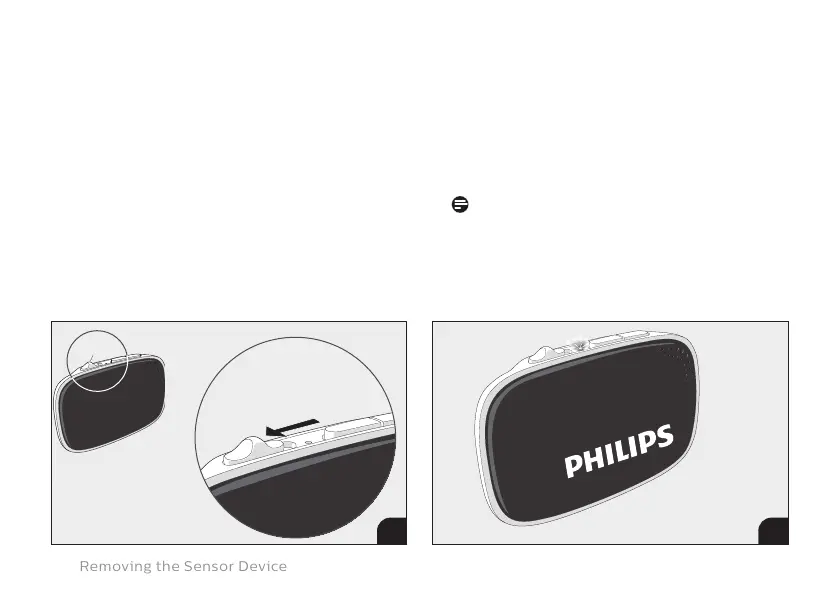
4. Power o the Sensor Device by sliding
the ON/OFF switch to the OFF position.
5. Conrm that the white LED light on
the Sensor Device stops blinking. This
indicates it is switched OFF.
NOTE
It might take some time before the LED
is switched OFF in case the Sensor
Device is transmitting data.
ON
3 5
Removing the Sensor Device
4





 To Next Page