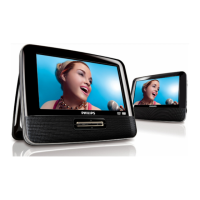
1.0 TECHNICAL SPECIFICATION
General
Dimensions (W x H x D): 255 x 170 x 31 mm
Weight: 0.97kg
Power supply: 100 – 240V (AC adaptor)
DC 12V (Battery)
Power consumption: 24W
Operating temp. & RH: 0 – 45 degC / 30 – 90% RH
Audio System
Output voltage 1kHz: 1.2Vrms typical
THD 20-20kHz (%): 0.03% typical
Dynamic range: >80dB
Signal/Noise ratio: >80dB
Frequency response (20-
20kHz):
+1dB/-0.5
Channel Separation 1kHz >=85dB
Channel Balance 1kHz 1dB
Current consumption
DC-IN SUPPLY (9V)
Standby Power off 5mA
BATT. SUPPLY
Voltage 7.4V
Capacity 2600mAH
Battery playtime 3 hour
Charging time <4.0 hour
Standby Power off <300uA
Headphone out (headphone output load 2x16 ohm)
Maximum output power:
10mW
Frequency response:
+/-3dB
SNR (A-wght):
>80dB
THD (0.2-20kHz):
0.2% typical
Left-Right Channel
Separation:
>55dB
Left-Right Channel
Balance:
<1dB
Supported disc type
Video Playback
Formats:
Audio Playback
Formats:
Playback disc type: DVD, Picture-CD,
SVCD, Video CD, MP3-
CD, CD-R/CD-RW,
WMA-CD, DVD-R, DVD-
RW, DVD+R, DVD+RW
Video Playback Format: DVD / VCD / JPEG /
MPEG4 / DIVX3,4,5,6
Audio Playback Format: CD/MP3, MP3-DVD,
WMA
Disc Diameter 12cm
Pixel specification
Zero bright-dot & max. 3 dark-dots
Factory Service Mode (FSM)
To check the software version and change
region code of your DVD Portable.
1. Press “
” (STOP/EJECT) on the main set
2. Press “ ” (PLAY/PAUSE) on the main se
3.
Press “1” -> “4” -> “0” -> “0” by remote control
4. The screen is under “FSM MENU”
5. Press “
” to select “VERSION”,
“REGION”, “AGING” and “FUNCTION”
6.
Refer below table for your region code setting
7. Press
“ ” to save your setting
8.
Press “SETUP” to exit



 To Next Page