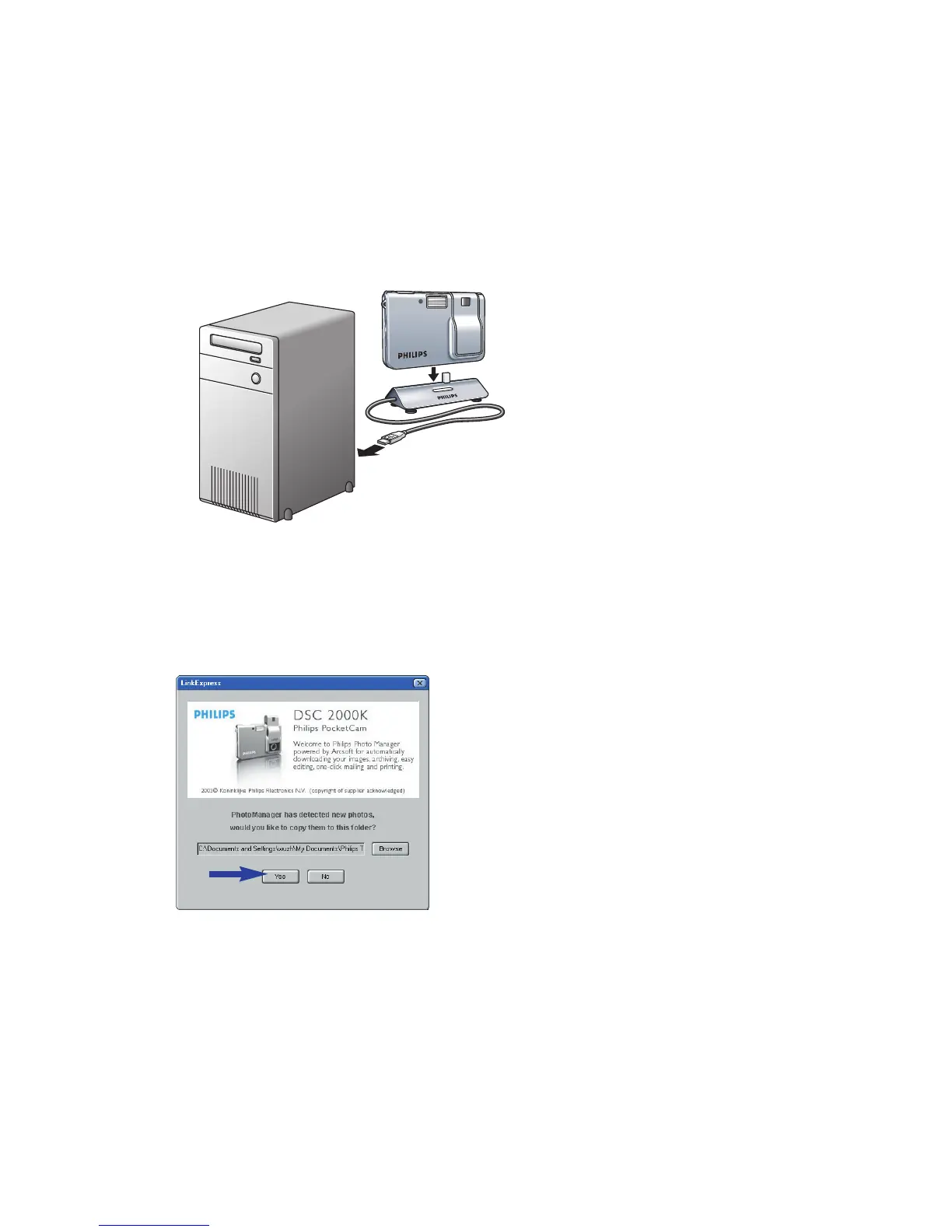
Transferring photos to your PC
1 Be sure the PC is turned on and that ‘PocketCam driver’ and
‘Philips Photo Manager’ are installed.
2 Connect the USB cable to the USB port of the PC.
3 Connect the camera USB connector to the USB connector on the docking base.
Push it down gently until it clicks in position.
>You will hear a low/high beep, the Charge LED starts blinking blue.
The camera will now derive its power from the PC.
> The USB LED slowly blinks red.
When USB connection has been established the USB LED remains lit.
> The camera turns on automatically.
> The Philips PocketCam screen appears.
2.0
MEGA
PIXELS
2.0
MEGA
PIXELS
ENGLISH 9



 To Next Page