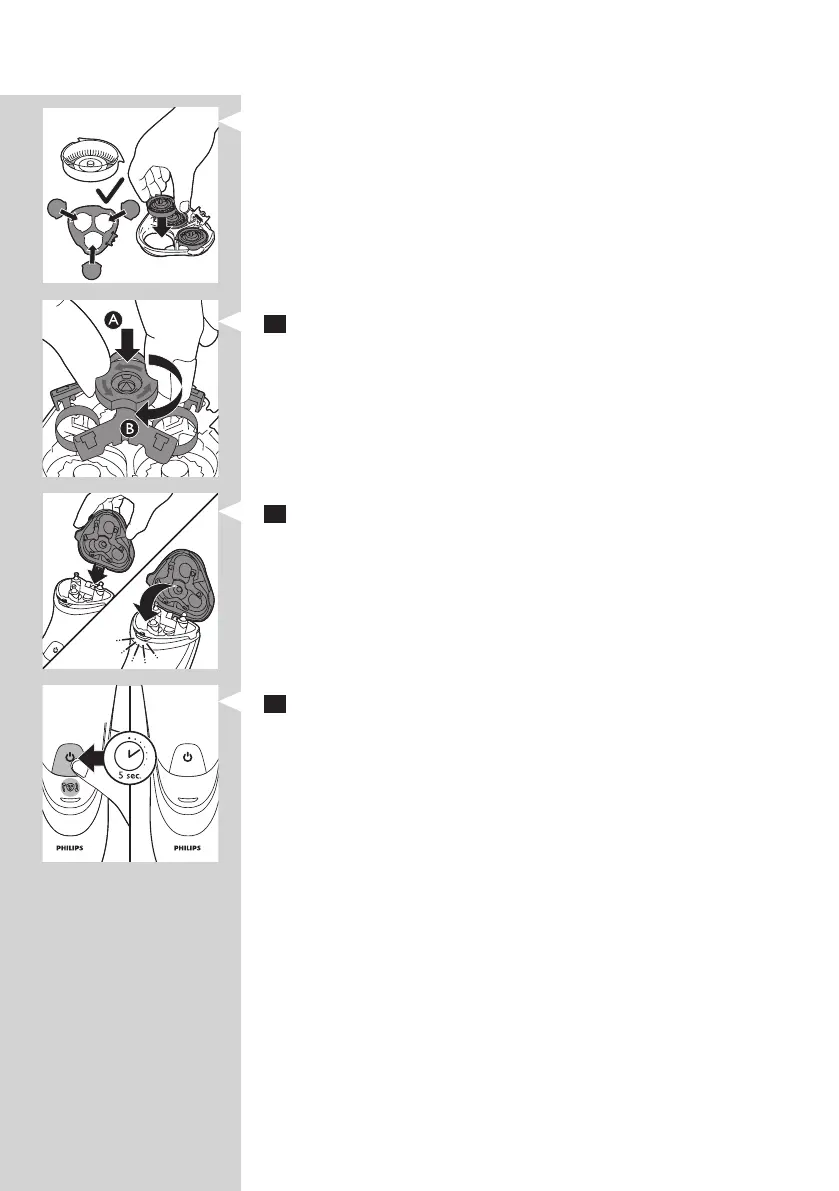
Note: Make sure that the projections of the shaving heads t exactly into the
recesses.
7 Put the retaining frame back into the shaving unit (A) and turn the
lock clockwise (B).
8 Insert the lug of the new shaving unit into the slot in the top of the
shaver. Then close the shaving unit.
Note: If the shaving unit does not close smoothly, check if you have inserted
the shaving heads properly and if the retaining frame is locked.
9 Press and hold the on/off button for 5 seconds to reset the
replacement reminder on the shaver. The orange light goes out.
ENGLISH12


 To Next Page