information below, visit www.philips.com/support
for a list of frequently asked questions or contact
the Consumer Care Center in your country.
Problem Possible cause Solution
The appliance
produces an
uneven cutting
result.
The comb does not
touch the skin
when you move
the appliance
through the hair.
Make sure the comb is
always fully in contact with
the skin when you move
the appliance through the
hair.
You only move the
appliance in one
direction.
Because not all hairs grow
in the same direction,
move the appliance in
different directions
(upwards, downwards and
across).
The setting of the
comb has changed
during trimming.
Check the setting of the
comb. If you push the
appliance too hard onto
the scalp, you may
accidentally change the
setting of the comb.
The comb is not
assembled
correctly.
Detach the comb and
reattach it.
The cutting
performance
decreases when
the cutting unit and
the comb are dirty.
Clean the cutting unit and
the comb.
The appliance
does not work
when I switch it
on.
The appliance is
not connected to
the the wall socket.
Insert the small plug into
the appliance and put the
supply unit in the wall
socket.
I do not know
how to attach the
comb
attachments to
the appliance.
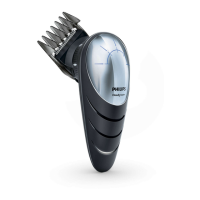
To attach the comb
attachments, simply slide
them into the slot in the
appliance.
18
English



 To Next Page


