PAGE 9-151097626, VER. 03
a. Verify the correct LPC software version was loaded. The Usage Hours Tab will indicate which
software version is to be installed. Refer to Data Recovery Tool screen shot shown in step 15
of this procedure.
18. Select Continuous Mode and a setting of 0.5.
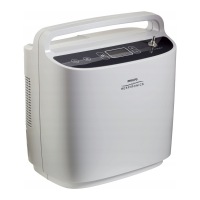
19. Connect one end of a piece of 3/16” ID tubing to the bottom of the flowmeter.
20. Connect the flowmeter to the patient cannula connector.
21. Holding the flowmeter in the vertical position above the SimplyFlo, observe the flowmeter scale
and record the reading on the Test results sheet
22. Repeat step 21 for a setting of 2.0 continuous flow
23. Disconnect the flowmeter from the patient cannula connector.
24. Connect a calibrated O2 Analyzer to the Patient Cannula connector as shown below.
25. Perform steps a and b.
a. Let the device run for at least 10 minutes on 2 LPM continuous flow. Record the results of
the O2 purity from the O2 Analyzer and the internal O2 sensor on the test data sheet.
IMPORTANT NOTE
If performing both the Final Test and Balancing Procedure, DO NOT perform step 25 a and b. Continue
directly to the Balancing Procedure.


 To Next Page
 Loading...