ENGLISH
3 Discard the empty cleaning cartridge.
Contact your local town or city officials for
recycling information.
C 4 Remove the seal off the new cleaning
cartridge.
C 5 Place the new cleaning cartridge in the
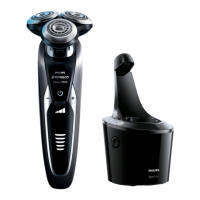
SmartClean System.
C 6 While holding the SmartClean System with
one hand, gently push the top part of the
SmartClean System back down. You will
hear a 'click'.
When the SmartClean System is ready for use,
do not move appliance to prevent leakage.
35
ENGLISH
9 Attach the shaving head holder to the
bottom part of the shaving unit (click).
C 10 To reset the shaver, press and hold the On/
Off button for approximately 7 seconds.
You will hear 2 beeps.
This shaver/SmartClean System has no other
user-serviceable parts. For assistance call 1-800-
243-3050.
Replacing the SmartClean System
Cleaning Cartridge
C ◗ For optimal cleaning results, replace the
cleaning cartridge when the replacement
indicator blinks orange or every 3 months.
C 1 While holding the SmartClean System
with one hand, press the cartridge release
button on the side of the SmartClean
System (1) and lift the SmartClean System
(2).
C 2 Remove the empty cleaning cartridge and
pour any remaining cleaning fluid out of
the cleaning cartridge.
You can safely pour the cleaning fluid down the
sink.
34
1
2
7 se


 To Next Page
 Loading...