Important information
– Only use batteries of the same type.
– Dispose of the batteries in an environmentally
friendly way.
– Do not mix old and new batteries.
– Do not mix different types of batteries: alkaline,
standaard or rechargeable batteries.
– If the thermometer is not used for a long period,
remove the batteries. Leakage can cause damage
of the product.
– Do not recharge non-rechargeable batteries.
– Empty batteries need to be removed from the
product.
– Do not short-cut the battery connection points.
– Install all batteries correctly, + and – as marked on
the unit.
– Do not mix old and new batteries or carbon and
alkaline, etc.
– Remove batteries when the unit is not used for a
long time.
– Batteries contain chemical substances, so they
should be disposed of properly.
ENGLISH 7
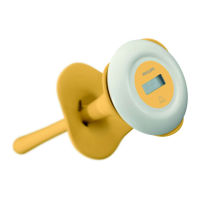
Cleaning the digital food thermometer
1 Pull off the measurement unit (1) from the
sensor stem.
The sensor stem and the rubber collar (3) can
now be sterilized or boiled.
Clean the measurement unit (1) with a moist
cloth.
2 Click the measurement unit (1) into the sensor
stem (2). Press until you hear a clicking sound.
Do not put the sensor stem into a micro
wave
sterilizer, as the stem contains metal parts.
Replacing the battery
1 Make sure the thermometer is switched off.
2 Open the battery compartment (6) by turning
the coinslot counter-clock-wise.
Approx. 1/4 turn. For this use a coin.
3 Remove the empty cell. See illustration inner
cover.
4 Insert a new LR44 battery. Pay attention to the
polarity of the battery.
5 Put the battery door back in place and close by
turning the coin slot clock-wise.
Approx. 1/4 turn. For this use a coin.
ENGLISH6
XP SBC SC 201 14-02-2003 15:04 Pagina 6


 To Next Page