Installation & User’s Manual PL1 LED Luminaires
10 OPERATION AND PROGRAMMING
OPERATION AND PROGRAMMING
1. LCD Menu Operation
The PL1 LED Luminaire’s LCD Display and Menu System provides local control for accessing all the fixture’s status
information, menu options, and settings.
Note: If there are multiple luminaires in a system, changes would need to be made at each LCD Menu as desired.
Upon power up, the LCD will display the main screen showing the product type/name. If DMX is enabled, the
programmed address will appear after power up.
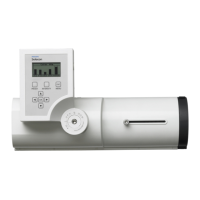
Figure 2: LCD Display and Menu System
PRESET
INTENSITY MENU
ESC
OK
PL1
PHILIPS ENTERTAINMENT
V. 0.01
Up/Down/Left/Right Arrow Buttons -
Navigates menu system and used for
Escape Button -
Enters menu options. Navigates
OK (Enter) Button -
Accesses details, activates
a field, or enters a setting
depending on the current menu item.
selecting and setting options.
(backs up) one menu level.
PRESET Button -
Allows the recall of stored presets.
LCD Display -
Displays all menu parameters and
option settings. Also displays DMX512
address (DMX models only).
INTENSITY Button -
Allows the customization of current
intensity (light output). Note, using
the LEFT and RIGHT arrow buttons
you can select each RGBW
channel individually and change
their intensity using the UP and
DOWN arrows.


 To Next Page
 Loading...