PL1 LED Luminaire Components 5
PL1 LED Luminaires
Installation & User’s Manual
PL1 LED LUMINAIRE OVERVIEW
1. PL1 LED Luminaire Components
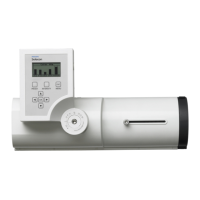
Luminaire Components
LCD Display / Menu
1) LCD Display Menu (see "LCD Display / Menu"
on page 5
for more information)
2) Tilt Axis Point (see detail)
3) Lens Barrel
4) Locking Focus / Zoom Knob
5) Mounting Point
6) DMX512 In/Out Connections - both ports are In /
Out (see detail)
7) Diffuser / Accessory Holder
8) IR Programming window
9) Allen Wrench Tool (part number ARLAKTOOL,
included with luminaire) contains 2.5mm, 3mm,
4mm & 5mm Allen hex keys for locking pan or
tilt.
2
3
4
5
150
120
90
60
30
0
330
Tilt Axis Label
6
DMX512 In / Out Connections
6
Note:
Some components not
shown for clarity.
1
8
2
9
7
PRESET
INTENSITY MENU
ESC
OK
1) LCD Display (Menu System)
2) Preset / Intensity / Menu Access Buttons
3) Function (Menu System) Select Push
Buttons
1
Note: For Menu operation and
programming details, refer to "LCD
Menu Operation" on page 10.
2
3


 To Next Page
 Loading...