(PIP)
Tint control is used to make fine
tune adjustments to the tint setting
it is shown on the TV
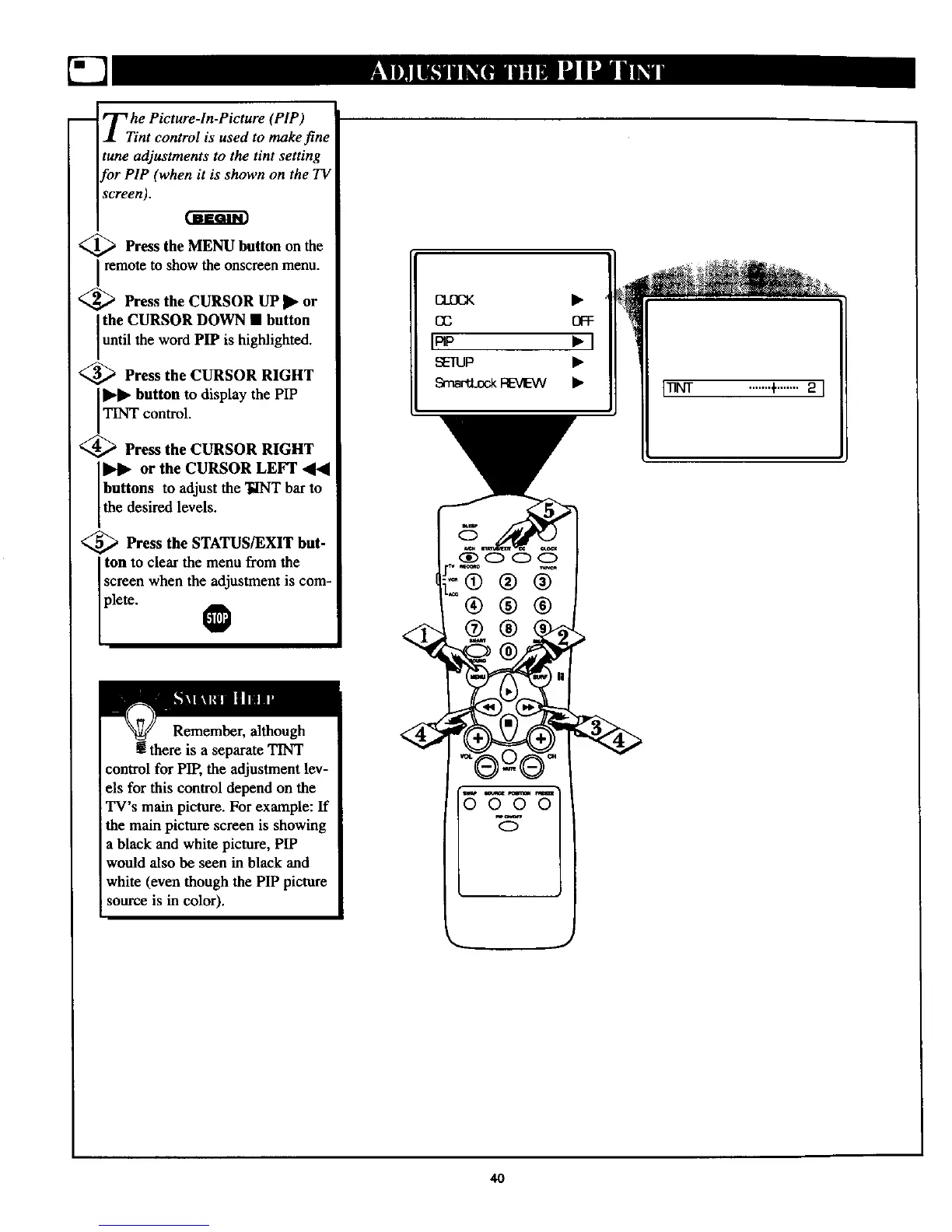
<_ Press the MENU button on the
Iremote to show the onscreen menu.
_--_ Press the CURSOR UP • or
the CURSOR DOWN • button
until the word PIP is highlighted.
<_ Press the CURSOR RIGHT
button to display the PIP
TINT control.
<_ Press the CURSOR RIGHT
or the CURSOR LEFT
buttons to adjust the TINT bar to
the desired levels.
<_ Press the STATUS/EXIT but-
ton to clear the menu from the
screen when the adjustment is com-
plete.
Remember, although
! there is a separate TINT
control for PIP, the adjustment lev-
els for this control depend on the
TV's main picture. For example: If
the main picture screen is showing
a black and white picture, PIP
would also be seen in black and
white (even though the PIP picture
source is in color).
(MIX •
EE OFF
I_p • I
SEIUP •
SrnavU.ockREVEW •
®®
i •
m_m
000
0
L_ .......+.......2 ]
40



 To Next Page