B
esides the normal volume level
control, your TV also has a
BALANCE, BASS and TREBLE
controls for sound adjustments. The
BALANCE control allows the listen-
er to adjust the sound being heard
between the right and left TV speak-
ers. The controls work just like the
BASS, TREBLE and BALANCE
controls on any hi-fi stereo audio
system.
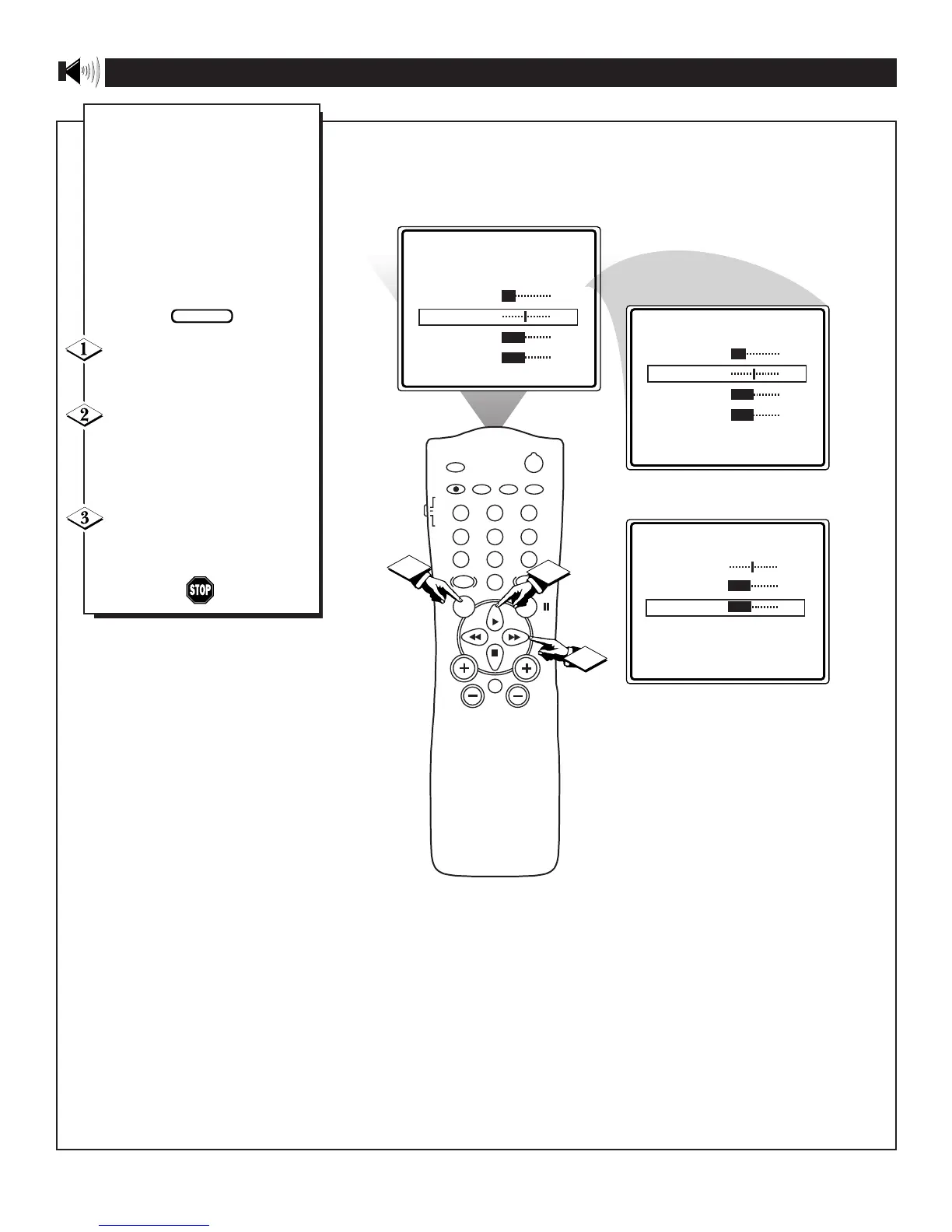
Press the MENU button on the
remote to show the onscreen
menu.
Press the CURSOR UP © or
CURSOR DOWN ■ buttons to
select and highlight the name of the
control you wish to change (BAL-
ANCE, BASS or TREBLE).
Use the CURSOR LEFT §§
or RIGHT ©© buttons to adjust
the levels of each highlighted con-
trol.
USING THE TREBLE, BASS AND BALANCE CONTROLS









 To Next Page