13
13
ENGLISH USING A SATELLITE RECEIVER
UUssiinngg aa ssaatteelllliittee rreecceeiivveerr
Those TV channels which are received via a satellite receiver
connected (to the scart socket
AAVV22 EEXXTT22
) can be viewed on the
video recorder on programme number E2. On the remote
control press the number button
00
and then the button
==PP--
to
select this programme number. The TV channels of the satellite
receiver are selected not on the video recorder itself,but directly
on the satellite receiver.
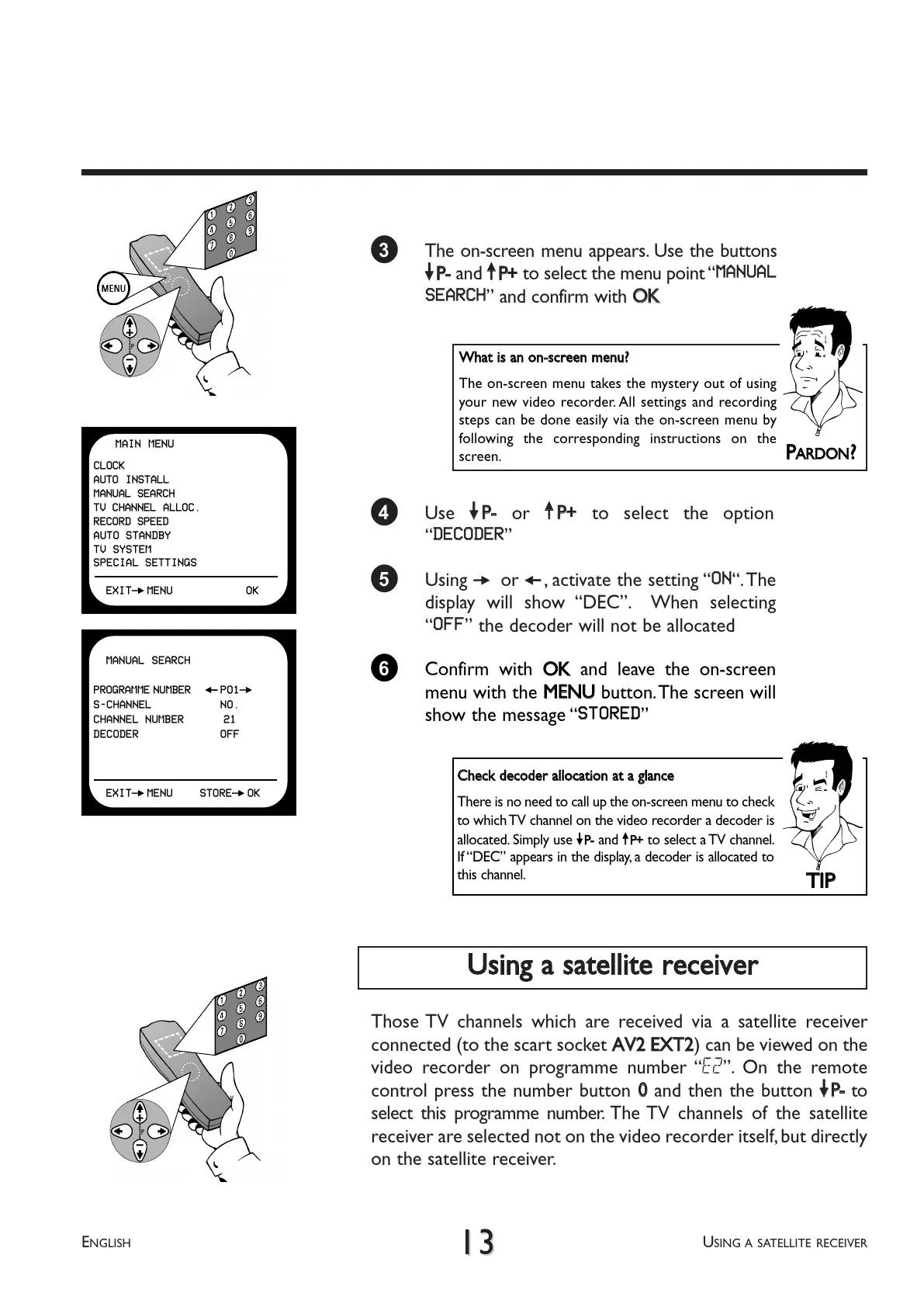
3 The on-screen menu appears. Use the buttons
==PP--
and
;;PP++
to select the menu point MANUAL
SEARCH and confirm with
OOKK
4 Use
==PP--
or
;;PP++
to select the option
DECODER
5 Using
PP
or
QQ
, activate the setting ON.The
display will show DEC. When selecting
OFF the decoder will not be allocated
PP
AARRDDOONN
??
WWhhaatt iiss aann oonn--ssccrreeeenn mmeennuu??
The on-screen menu takes the mystery out of using
your new video recorder. All settings and recording
steps can be done easily via the on-screen menu by
following the corresponding instructions on the
screen.
6 Confirm with
OOKK
and leave the on-screen
menu with the
MMEENNUU
button.The screen will
show the message STORED
TTIIPP
CChheecckk ddeeccooddeerr aallllooccaattiioonn aatt aa ggllaannccee
There is no need to call up the on-screen menu to check
to which TV channel on the video recorder a decoder is
allocated. Simply use
==PP--
and
;;PP++
to select a TV channel.
If DEC appears in the display, a decoder is allocated to
this channel.
MANUAL SEARCH
PROGRAMME NUMBER QP01P
S-CHANNEL NO.
CHANNEL NUMBER 21
DECODER OFF
EXITPMENU STOREPOK
MAIN MENU
CLOCK
AUTO INSTALL
MANUAL SEARCH
TV CHANNEL ALLOC.
RECORD SPEED
AUTO STANDBY
TV SYSTEM
SPECIAL SETTINGS
EXITPMENU OK



 To Next Page