TURBO TIMER-RECORDING ENGLISH
36
36
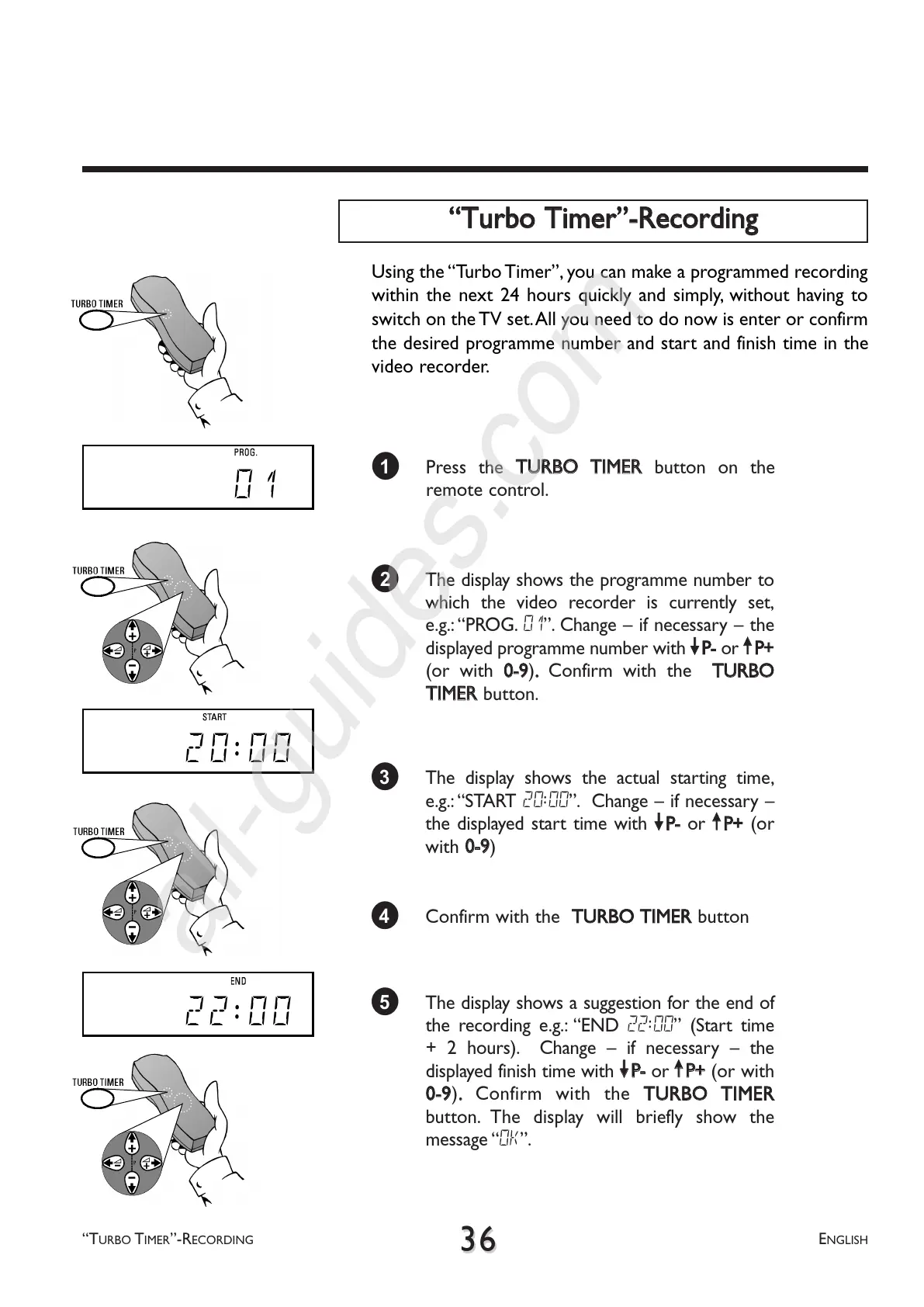
2 The display shows the programme number to
which the video recorder is currently set,
e.g.: PROG. 01. Change if necessary the
displayed programme number with
==PP--
or
;;PP++
(or with
00--99
)
..
Confirm with the
TTUURRBBOO
TTIIMMEERR
button.
1 Press the
TTUURRBBOO TTIIMMEERR
button on the
remote control.
TTuurrbboo TTiimmeerr--RReeccoorrddiinngg
3 The display shows the actual starting time,
e.g.:START 20:00. Change if necessary
the displayed start time with
==PP--
or
;;PP++
(or
with
00--99
)
4 Confirm with the
TTUURRBBOO TTIIMMEERR
button
5 The display shows a suggestion for the end of
the recording e.g.: END 22:00 (Start time
+ 2 hours). Change if necessary the
displayed finish time with
==PP--
or
;;PP++
(or with
00--99
)
..
Confirm with the
TTUURRBBOO TTIIMMEERR
button. The display will briefly show the
message OK.
01
20:00
22:00
Using the Turbo Timer, you can make a programmed recording
within the next 24 hours quickly and simply, without having to
switch on the TV set.All you need to do now is enter or confirm
the desired programme number and start and finish time in the
video recorder.



 To Next Page