ENGLISH SWITCHING THE MODULATOR ON AND OFF
47
47
SSwwiittcchhiinngg tthhee mmoodduullaattoorr oonn // ooffff
If picture and sound interference cannot be removed by optimising the
modulator, the integral modulator can be switched off.Warning: this is
only possible if you have connected the video recorder to the TV set
with a scart cable. It is not possible to operate with the modulator
switched off without a scart cable.
FFOORR
EEXXPPEERRTTSS
6 Confirm the new modulator frequency with
OOKK
. In the display there will briefly appear
OK. The screen will show STORED
SSwwiittcchhiinngg ooffff tthhee mmoodduullaattoorr
If you have connected the video recorder to the TV set
with a scart cable, you can switch off the modulator
when there is interference with the picture or sound
(see below).
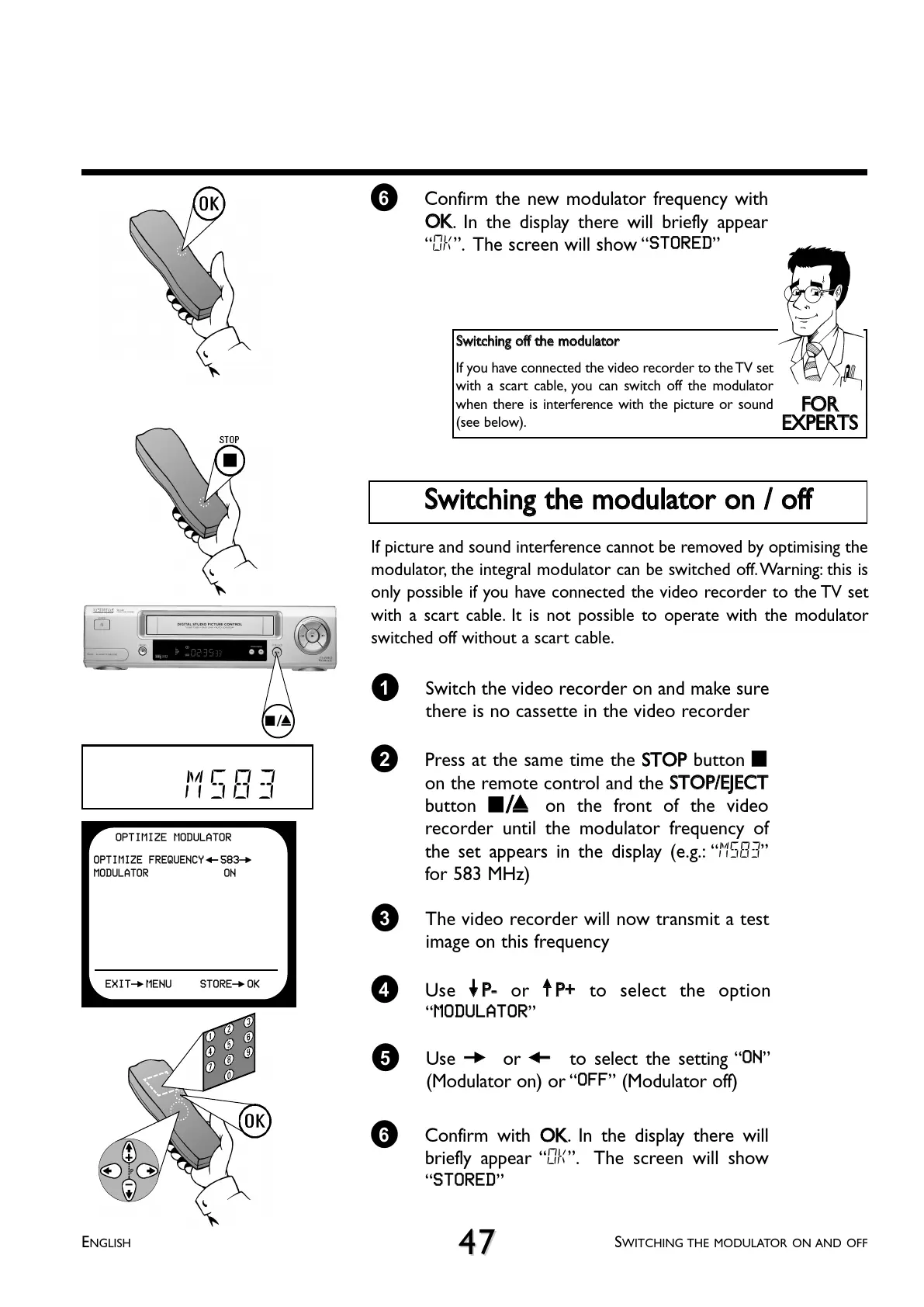
1 Switch the video recorder on and make sure
there is no cassette in the video recorder
3 The video recorder will now transmit a test
image on this frequency
2 Press at the same time the
SSTTOOPP
button
hh
on the remote control and the
SSTTOOPP//EEJJEECCTT
button
??
on the front of the video
recorder until the modulator frequency of
the set appears in the display (e.g.: M583
for 583 MHz)
4 Use
==PP--
or
;;PP++
to select the option
MODULATOR
6 Confirm with
OOKK
. In the display there will
briefly appear OK. The screen will show
STORED
5 Use
PP
or
QQ
to select the setting ON
(Modulator on) or OFF (Modulator off)
M583
OPTIMIZE MODULATOR
OPTIMIZE FREQUENCY
Q583P
MODULATOR ON
EXITPMENU STOREPOK
?



 To Next Page