6
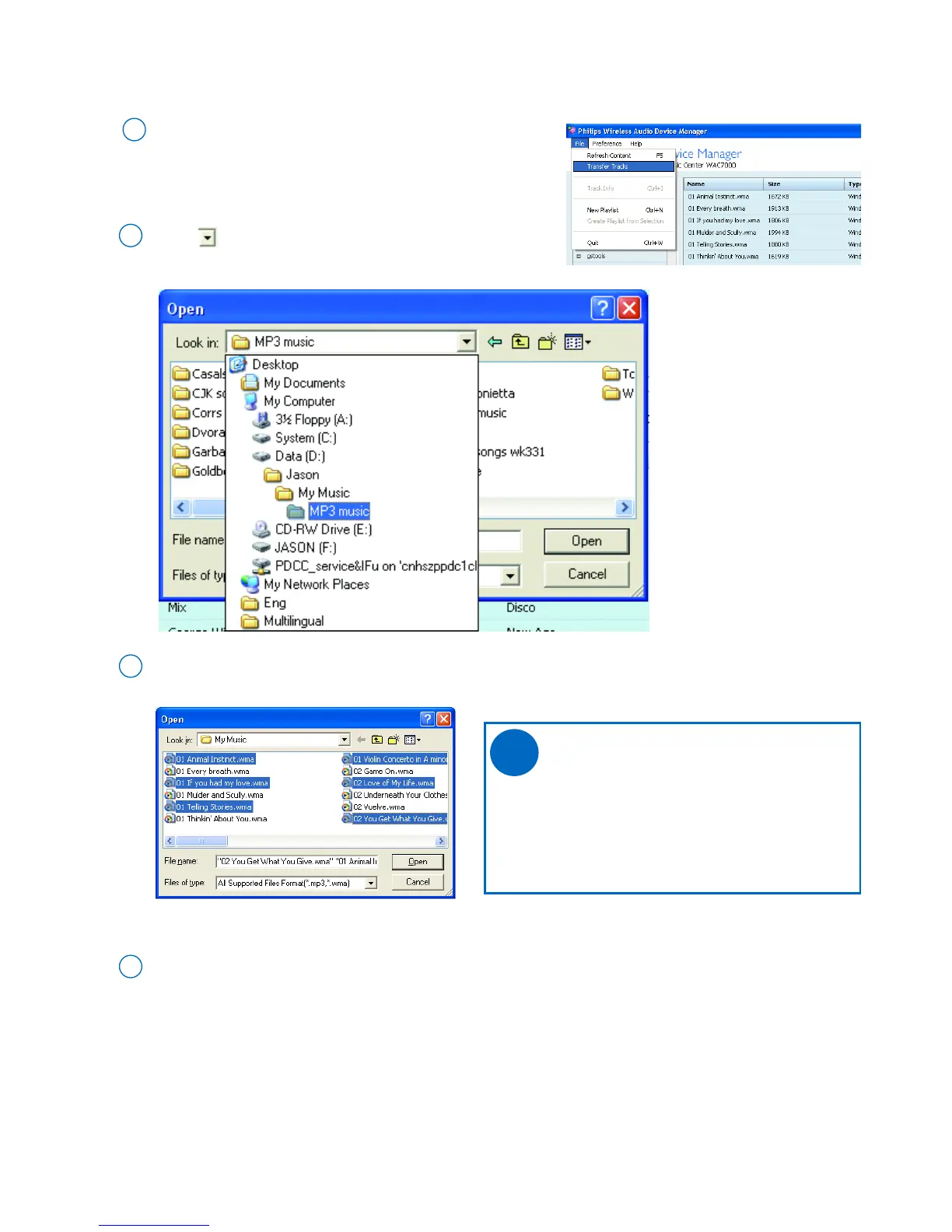
Click in the Look in pull-down box, and then
click once or more to select a file folder
2
Tips:
- Press and hold <Ctrl> on your PC
keyboard and click to select more than
one file
- You can only find the music files in
supported formats
In the file list, click to select your desired music files
3
Click the Open button to start file transfer
➜ The file transfer dialog box appears
➜ All the transferred files will be sorted by their track
information (e.g. Artist, Album, Genre)
4
Go to the pull-down menu File ➜ Transfer Tracks.
Click to select
1
➜ A file explorer window appears
• To import music files form PC
✔



 To Next Page