8
Re-organize your music files in the device window
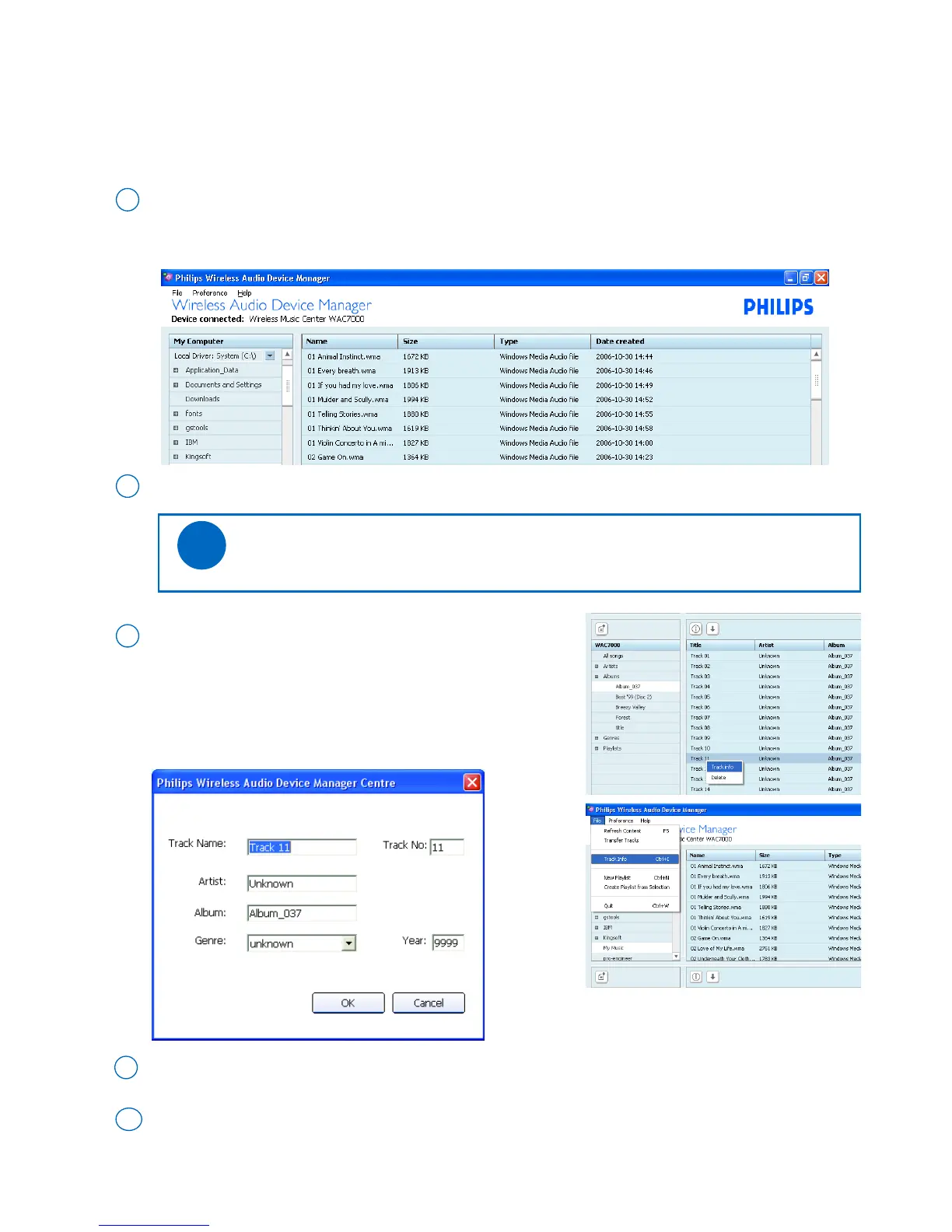
• Edit track information
By editing the track information of your music files, you will have those files re-organized under the device’s
categories of Artists, Albums and Genres.
Go to the pull-down menu File ➜ Track Info. Click to select
` or
Right click on your mouse. Click Track Info.
3
➜ An ID3 tag edit box appears
To edit, click on the text box of Track name, Track No., Artist, Album, Genre and Year
4
On the selector panel of the device window, click to select an album or a playlist.
1
➜ On the content panel,a track list appears
On the track list, click to highlight the desired track
2
Click OK to save the information. Click Cancel to discard changes made
5
Tips:
- Press and hold <Ctrl> on your PC keyboard and click to select more than one file
✔



 To Next Page