10
IT/GB
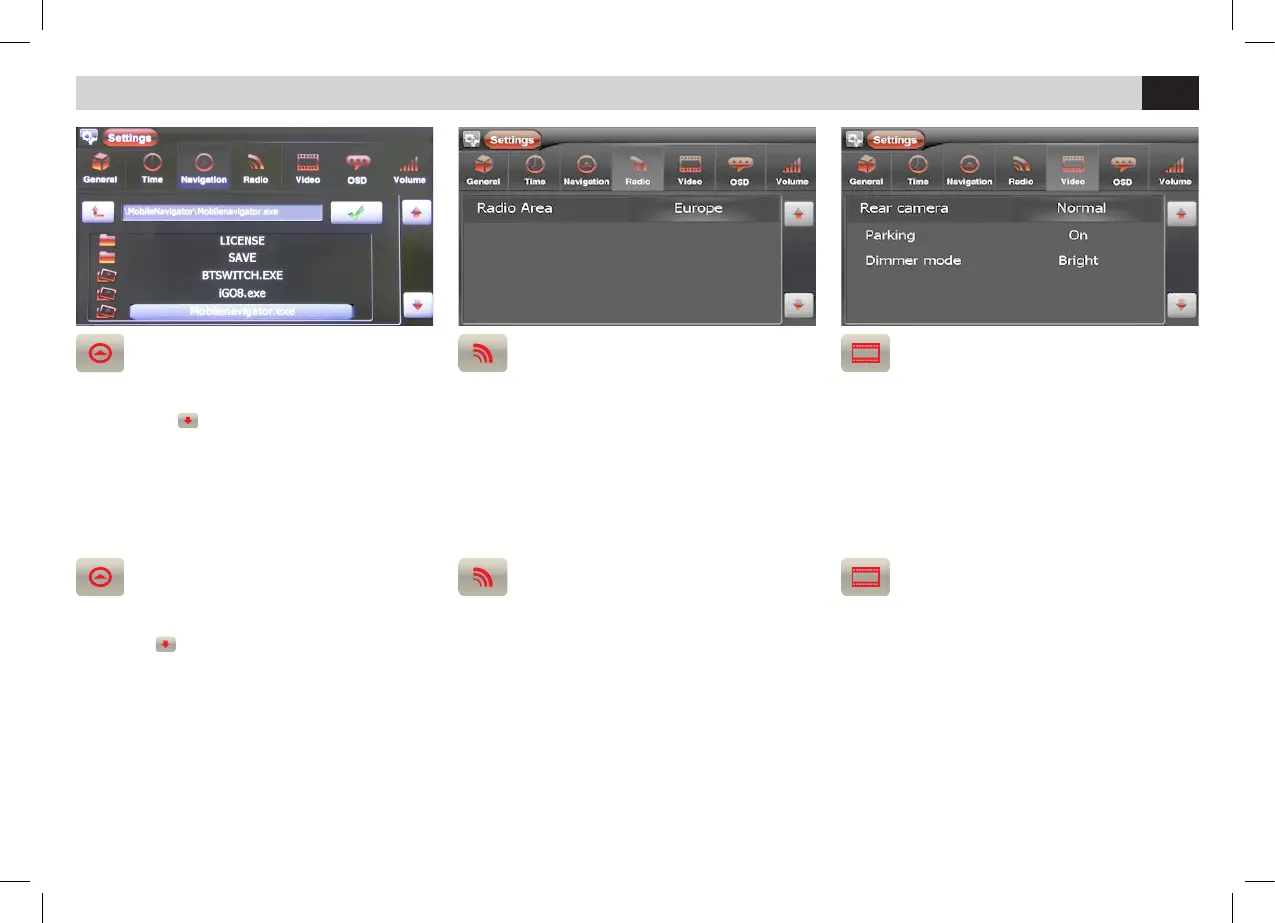
NAVIGAZIONE
• Inserire la MICRO SD di navigazione NV993.
Muoversi con
e selezionare il file esecutivo
Mobilenavigator.exe.
NOTA: Effettuare questa impostazione prima di
avviare la navigazione.
IMPOSTAZIONI RADIO
• Per la corretta banda radiofonica selezionare
l’area di appartenenza.
RETROCAMERA - ATTIVAZIONE VIDEO
LUMINOSITÁ
• Selezionare RETROCAMERA per cambiare la
visualizzazione da normale a specchio.
• PARCHEGGIO per attivare/disattivare la visione
in movimento di filmati e immagini.
• LUMINOSITA’ per modicare l’intensità di luce
dello schermo.
IMPOSTAZIONI DI SISTEMA • SYSTEM SETUP
NAVIGATION
• Insert the navigation micro-SD art. NV993.
Move with
to Select the execution-file
Mobilenavigator.exe.
NOTE: To do before starting the navigation.
RADIO-SETTINGS
• In order to receive the correct radio frequency-
band, it is necessary to choose the Area you
belong to.
REAR-CAMERA – VIDEO-ACTIVATION
BRIGHTNESS
• Select REAR-CAMERA to switch from normal
to Mirror-Vision.
• Select PARKING to activate/deactivate visual-
ization of films/pictures in movement.
• Select BRIGHT to modify the screen-bright-
ness.



 To Next Page