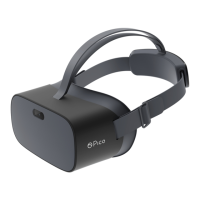
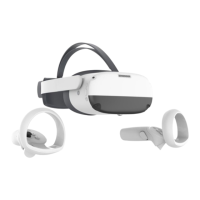
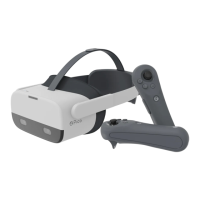
03
EN
headset may come into contact with your nose bridge if the pupil distance is set
to the minimum value.With the headset on, you can go to “Settings” ► “Display”
to adjust the pupil distance manually. Note that improper pupil distance may
result in double vision or eyestrain.
• This product comes with an “Eye Protection Mode”, which passes the Low Blue
Light certication by TÜV SÜD (Germany). It uses software algorithms to reduce the
amount of blue light in the three-color channel and protect your eyes. Images will
appear yellowish in this mode. You can go to “Settings” ► “Display” ► “Color” ► “Eye
Protection” to turn this feature on or off.
Important Health & Safety Notes
• Please read the Safety and Warranty Guide before using the product.
• This product is designed and intended to be used in an open and safe indoor
area, free of any tripping or slipping hazards. To avoid accidents, remain con-
scious to the potential connes of your physical area and respect the boundary
of your virtual area whenever you see it. Be sure to wear the lanyards when
using the Controllers. Make sure that there is enough space around your head
and body (at least 2 meters by 2 meters) to stretch your arms to avoid damage
or injury to yourself, others, and your surroundings.
• Children aged 12 or younger are not recommended to use this product. Keep
the headset, controllers and accessories out of children’s reach. To avoid acci-
dents, users aged 13 and over should be supervised by an adult while using this
product.
• This product does not support vision correction. If you need vision correction,
keep your glasses on while using the product and take care not to scratch your
glasses on the headset lenses.Take care to protect the optical lenses from
scratches caused by sharp objects. Use a soft eyeglasses cloth to clean the lens-
es and avoid causing scratches that may affect the viewing experience.
• Extended periods of use may cause slight dizziness or eyestrain. Take a break
after 30 minutes and do eye exercises or look into the distance to relieve eye-
strain. Stop using the product immediately if you experience any discomfort. If
the discomfort persists, consult a doctor.
• Exposing the headset to direct sunlight or ultraviolet light (in outdoor environ-
ments, cars, on balconies, or windowsills) may result in permanent yellow spots
on the display. Damage of this nature is not covered by the product warranty.
• You can adjust the pupil distance in “System Settings”. However, note that the
* Product and packaging are updated regularly, and the functions and contents of the standalone headset
may be upgraded in the future.
Therefore, the content, appearance and functionality listed in this manual and product packaging are
subject to change and may not reect the nal product. These instructions are for reference only.
* Carefully read this user guide before using the product and share this information with any other users,
as it contains important safety information. Keep the user guide as reference for the future.



 To Next Page
 Loading...