38
BIP-7000 Manual
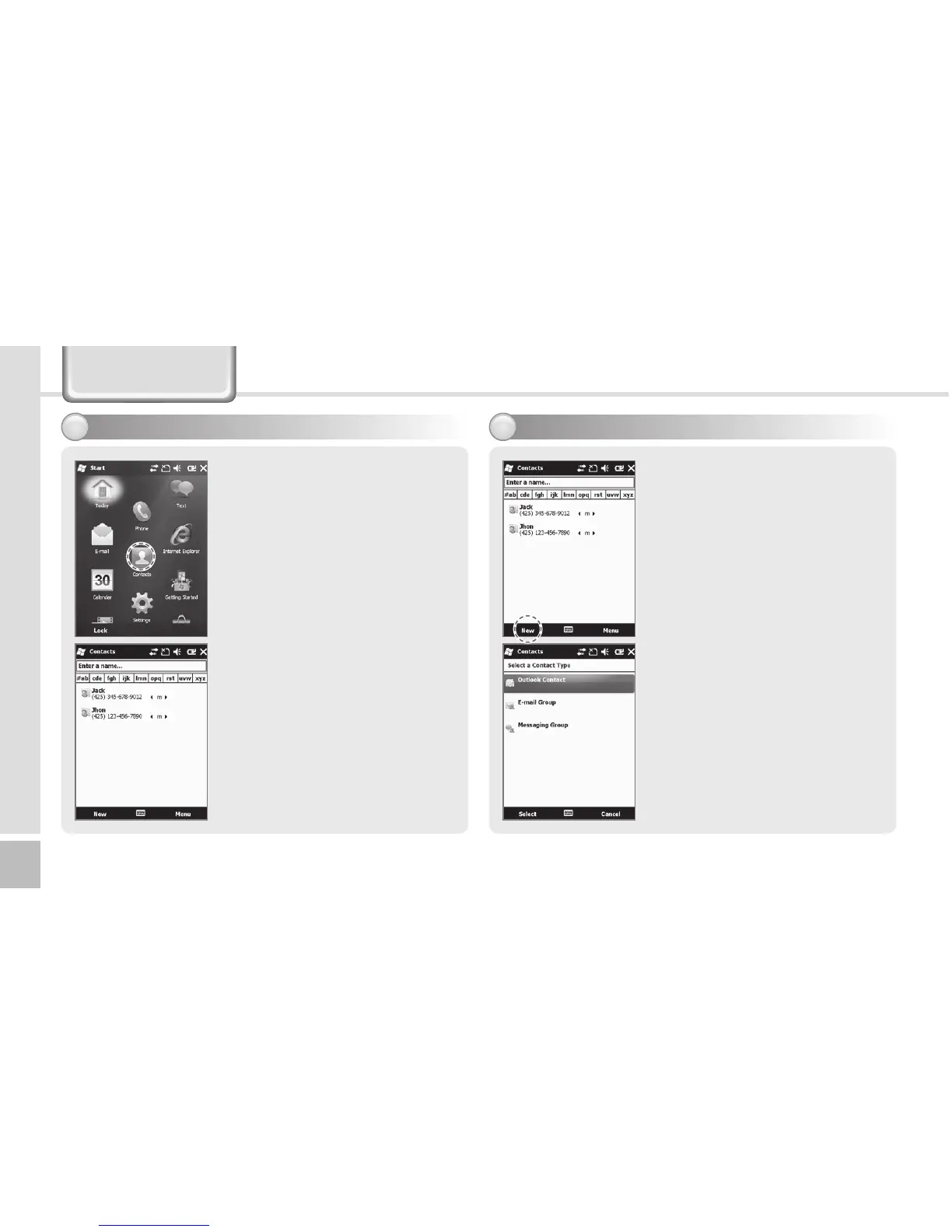
1 Select the [Contact] button
in the bottom left of the
Today Screen, or select
Start
Ķ
Contacts.
2 Enter a name in the [Enter a
Name...] field to search for
the phone number.
Phonebook
1 Select the [New] button
in the bottom left of the
Phonebook screen.
2 Select the type of phone
number.
4FBSDIJOHQIPOFCPPL 3FHJTUFSJOHFOUSZ



 To Next Page