42
BIP-7000 Manual
Text Message
7JFXJOHUFYUNFTTBHFT4FOEJOHBUFYUNFTTBHF
Start
Ķ
Email
Ķ
Text
Message
Ķ
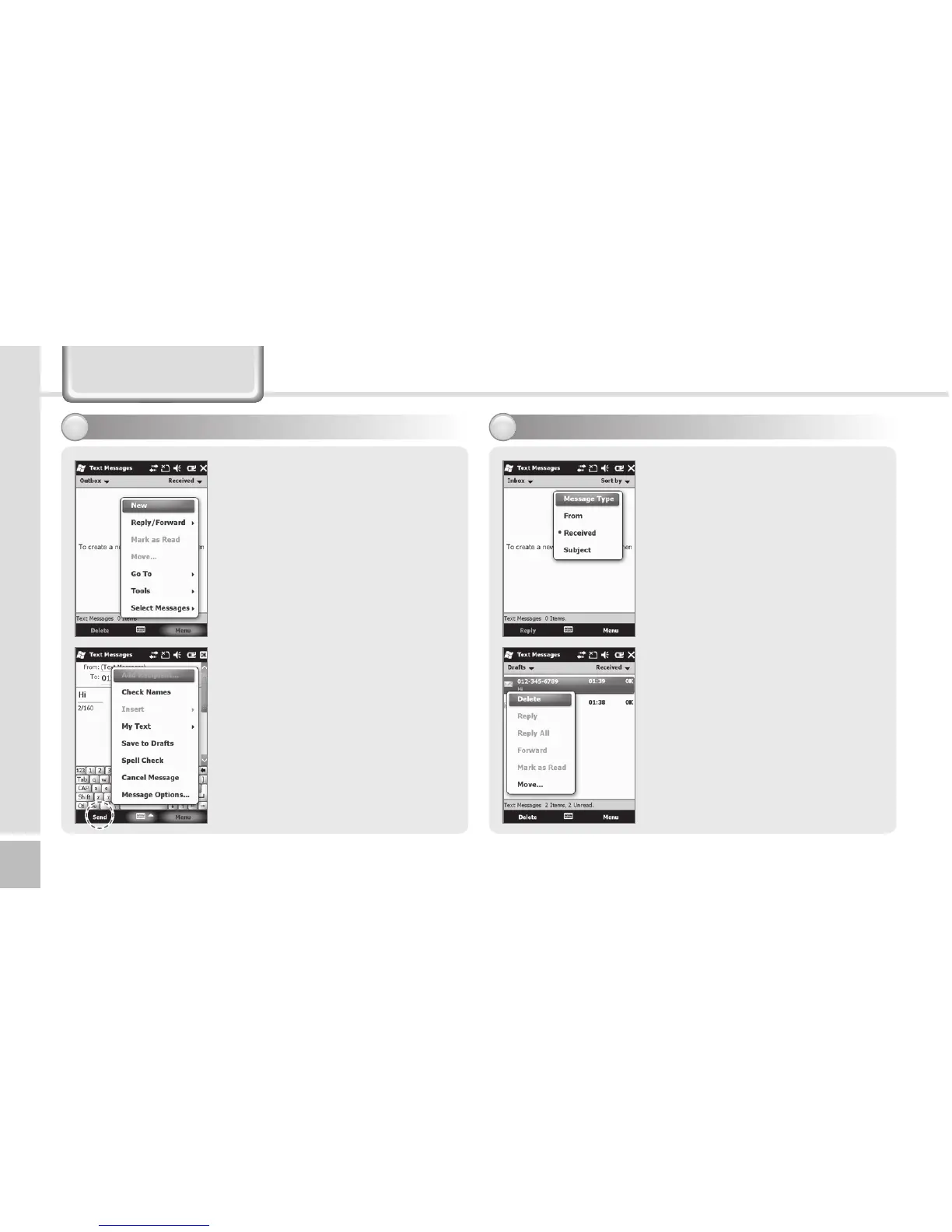
Outbox
After creating Text message
including masaage receiver,
tap Send on the Text
Messages screen.
On the Text Messages screen,
tap Menu and select [Add
Recipient...] to add massage
receiver.
Checking a text message
from Inbox folder.
Start
Ķ
Email
Ķ
Text
Message
Ķ
Inbox
Choose receiving message
from Inbox to view the text
message.
Tap Received the text
message at least 2 second
to Delete/Reply/Reply All/
Forward/Mark as Read/
Move....



 To Next Page