1. Characteristics
• Intelligent Sound control with 480 second Sound
buffer
• High-resolution Sound: 22050Hz, Samplerate 12bit
• Efcient output nal stage for 8 Ohm loud speaker
• Generates the operating sounds of the locomotive,
brake squeal and random noises while stationary
e.g. auxiliary aggregates
• Sound is specially adjusted to the body of the
locomotive for best resonance
• Simultaneous rendition of 4 independent sound
channels
• Additional adjustable sounds like e.g. whistle, bell,
horn, uncoupling sound, door warning signal, or
own custom sounds
• Function Mapping up to f 28
• Switchable random sounds
• With smart start function: The Sound module stops
the locomotive decoder, when starting until the
vehicle’s engine synchronize with the sound.
• Separate adjustable volume for almost all sound
events (only DS4)
• Muting with fade in and out function
• Analogue operation with start-up and shut-down
noises, when used with a suitable decoder
2. Description
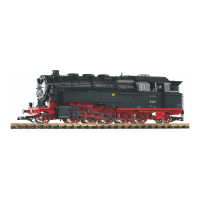
The PIKO BR 95 sound modules deliver faithful
sounds like those in the original locomotives. With
the intelligent Sound control the reproduced sounds
are matched to particular operating situation.
The PIKO Sound Module plugs into the SUSI
interface of the locomotive decoder.
When the locomotive starts the Sound module
stops the motor (via the locomotive decoder)
until the vehicle’s sound is synchronized. So the
cylinder steam hisses rst before it moves. If the
loco is pulled up the brake squealing sounds. When
stationary different random sounds are heard e.g.
coal shoveling, injector and others. The random
sounds are switchable by special function key. The
module’s two special function outputs are controlled
directly by the sounds. So it is possible to simulate
the ickering of the re box when shoveling coal.
With the 4 channel technology the running sounds of
the locomotive and 3 additional locomotive specic
sounds can be controlled by function key. The
auxiliary sounds can be varied in length, - short on
pulse results e.g. a short whistle, a longer on pulse
results in a longer whistle. These auxiliary sounds
are called up with function keys f0 - f28.
If the locomotive drives out of view on the layout
i.e. into the shadow station, then ‘audio muting’
with a function key, can be used to slowly fade
out the entire sound of the locomotive and
when it re-emerges to slowly fade the sound in
again. Almost all sounds can have their volume
independently set with CV programming.
In combination with a correspondingly suitable
locomotive decoder the IntelliSound 4 module
can even be in analogue mode with start-up and
shutdown sounds.
3. Installing a Sound Module
SUSI interface Insert the SUSI plug into the SUSI
socket of your decoder. The sound module is
supplied with power and data from the decoder.
Loudspeaker
Install the speaker in the intended opening at the
bottom of the locomotive.
Fastening the Sound module into the Vehicle
Using the double sided adhesive pad provided,
afx the decoder to the desired location in the
locomotive. The adhesive pad protects the decoder
from coming in contact with conducting surfaces and
holds it in place. Please note that according to the
EMV laws the component may only be operated in
vehicles that carry the CE symbol.
Start-up
Double check the correct installation with a
continuity tester or an Ohmmeter.
When placing the device make sure it does not
come into contact with any conducting surfaces in
the vehicle. Also ensure that a shot circuit cannot
occur when the locomotive is close, and that the
wire is not cinched.
A short circuit can destroy the component and
eventually the locomotive electronics!
4. Switching the Sound on and off
Individual sounds can be turned on and off
with special function keys on the digital center.
Assignment of sounds to the function key is done
with CVs 900 - 931 of the SUSI bank 8 (CV1021
= 8). When delivered the sounds are assigned as
shown in the Table.*
If the locomotive travels out of the visible range of
the layout, e.g. into the shadow station, then by
switching the mute function (f16 “on”, factory setting)
the entire sound is faded out. Internally the module
keeps rendering the sound according the diving
situation. If the mute is switched off again then the
sound is faded back in and can be heard again in
keeping with the current running situation.
Volume
The total volume of the PIKO G sound module can
be changed in the SUSI bank 2 (CV 1021 = 2) via
CV 900. Therefore, rst the CV 1021 is programmed
to the value 2 and then the CV 900 to the value of
the desired volume.
The individual sounds of the sound decoder are
stored in so-called slots, of which up to 32 are
available depending on the type of locomotive. The
volume of the individual sounds can be adjusted
via the CVs 900 - 931 in the SUSI bank 4 (CV 1021
= 4). Therefore, rst the CV 1021 is programmed
to the value 4 and then the CV belonging to the
respective sound (900 - 931) to the value of the
desired volume.
All settings are factory pre-set for PIKO locomotive
decoders and for this locomotive model, but can be
easily adapted to other vehicles.
Further information can be found in the detailed
operating instructions.
5. Programming
In the factory default state all decoder options are
changed using conguration variables (CVs) according
to the DCC Stopard. The sound module can be
programmed with SUSIkomm software and Sound
Loading Adapter, or via the locomotive decoder. The
decoders can be programmed by an Intellibox, DCC
Centre and Motorola Centre. With other makes of
locomotive decoder follow the instructions for that
decoder.
Programming with DCC devices
Use the programming menu in your DCC Centre to
program the decoder CVs in either register, direct
CV or page programming mode. It is also possible to
program the decoder on the main line using a DCC
Centre.
Refer to the manual of your control center
for full instructions on the process.
PIKO Sound module with loudspeaker for ”BR 95” The Sound module with loudspeaker for all loco decoders with SUSI Interface
17


 To Next Page
 Loading...