Change, maintenance, decommissioning
System Description Service Robotics Modules
1004870-EN-05
| 107
10.3 Decommissioning
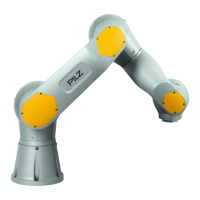
10.3.1 Decommissioning the robot arm
} In safety-related applications, please comply with the mission time T
M
in the safety-related
characteristic data.
} When decommissioning, please comply with local regulations regarding the disposal of
electronic devices (e.g. Electrical and Electronic Equipment Act).
NOTICE
Information regarding the mission time T
M
is documented in the operating
manual for the service robotics modules. You will find the information in the
section entitled "Safety characteristic data", under "Technical details".
Procedure
Before the robot arm can be decommissioned it must be moved to its transport position.
The default robot program "Service: Transport position" is available in the teach pendant for
this purpose (see online help for the teach pendant).
Proceed as follows:
} Execute default robot program "Service: Transport position" on the teach pendant
If you are using the default configuration the robot arm will be moved to the documented
transport position (see operating manual for the robot arm).
} Switch off supply voltage
} Remove connection cable
} Uninstall robot arm (see operating manual for the robot arm)
} Dispose of the robot arm properly


 To Next Page
 Loading...