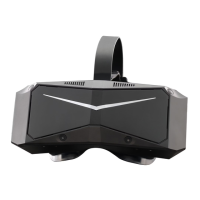
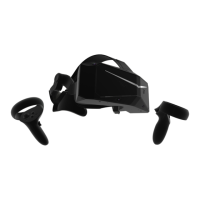
1. In the Box ................................................................................................................................................................
2. Important Health & Safety Notes .....................................................................................................................
3. Operation Guide ...................................................................................................................................................
3.1. Product Details (in box) ...........................................................................................................................
3.2. PCVR ..............................................................................................................................................................
3.2.1. PCVR Performance Requirements ...............................................................................................
3.2.2. Switching to PCVR Mode ..............................................................................................................
3.2.3. How to Download and Use The PIMAX PC CLIENT ..............................................................
3.2.4. Installing & Replacing the Battery ..............................................................................................
3.2.5. Product Details (PCVR) ..................................................................................................................
3.2.6. Controller Functionality and Controls ........................................................................................
3.2.7. How to Connect and Turn on the Headset ...............................................................................
3.2.8. New Controller Pairing (Left and Right Controller Need to be Paired Separately) .......
3.2.9. How to Adjust the Headset for a Comfortable Fit and View ...............................................
3.2.10. Firmware Updates .........................................................................................................................
3.3. Standalone VR ..............................................................................................................................................
3.3.1. Standalone VR System Specifications (Differs from PcVR mode) .........................................
3.3.2. 6 Degrees of Freedom VR ..............................................................................................................
3.3.3. Switching to Standalone VR mode ...............................................................................................
3.3.4. Powering on the Controllers ...........................................................................................................
3.3.5. Powering on the VR Headset. ........................................................................................................
3.3.6. How to Adjust the Headset for a Comfortable Fit and View .................................................
3.3.7. Product Details (Standalone VR) ....................................................................................................
3.3.8. Operating Instructions ......................................................................................................................
3.3.9. Firmware Updates ..............................................................................................................................
4. Parts Replacement ...............................................................................................................................................
4.1. Lens replacement ........................................................................................................................................
4.2. Faceplate replacement ..............................................................................................................................
4.3. Earphone replacement ..............................................................................................................................
5. Clean/Care Headset ............................................................................................................................................
6. Supervision .............................................................................................................................................................
7. Safety Warnings .....................................................................................................................................................
8. Battery safety ........................................................................................................................................................
9. Warranty Regulations ...........................................................................................................................................
0
0
0
0
0
0
0
0
0
1
1
1
1
1
1
1
1
1
1
2
2
2
2
Contents


 To Next Page
 Loading...