Quickstart Guide
3
English
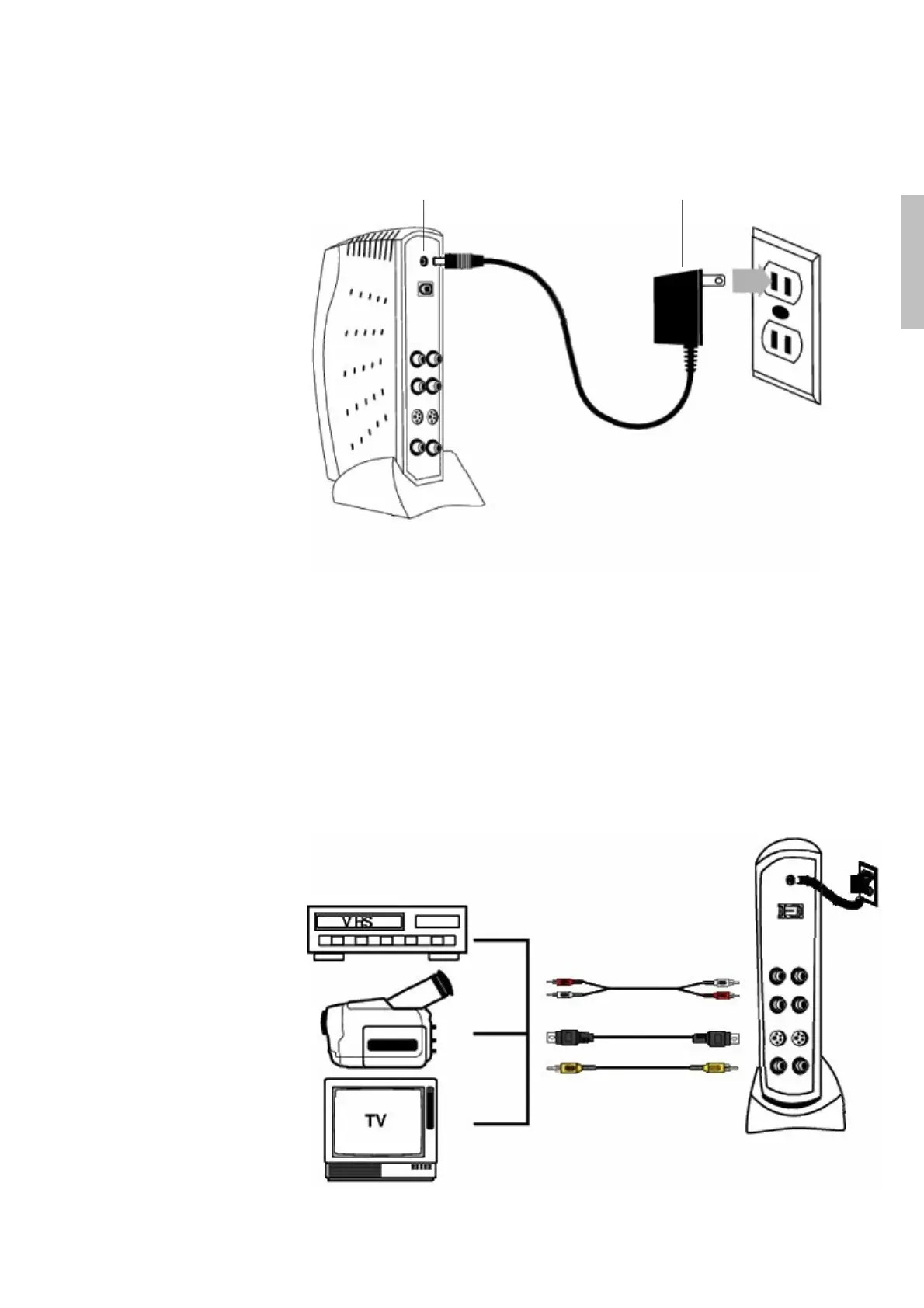
4. Connect the DVC 150 Power Adapter.
Power AdapterPower Connector
5. If the Windows Add New Hardware dialog box appears, follow the
on-screen prompts.
You are now ready to capture video with Studio QuickStart Software.
6. To capture video, connect the audio and video cables from the Out
connectors on the camcorder, VCR, or TV to the corresponding In
connectors at the back of the DVC 150.
Out Audio In
Out RCA Video In
Out S-Video In
or


 To Next Page