31
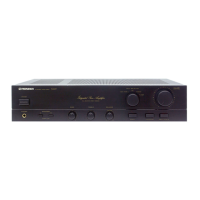
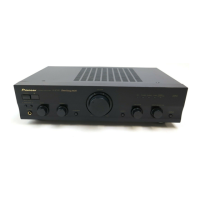
A-209R, A-209
7 DIRECT button/indicator
Use this button when you do not wish to pass the output from
input terminal equipment through the various frequency ad-
justing circuits (BASS, TREBLE, BALANCE, LOUDNESS).
On : The indicator lights: The signals passing through the
input terminals are reproduced without passing through
the various frequency adjusting circuits. This results in
flat, pure sound which is a more faithful reproduction of
the input source.
Off : The indicator goes off: The signal passes through the
various frequency adjusting circuits.
8 LOUDNESS button/indicator
Use when listening at low volume levels.
On : The indicator lights: Boosts low and high frequencies to
give added punch to playback even at a low volume
level.
Off : The indicator goes off: Should normally be left in this
position.
NOTE:
This button does not operate when the DIRECT button is in the
on position.
9 TREBLE tone control
Use to adjust the high-frequency tone. The center position is
the flat (normal) position. When turned to the right, high-
frequency tones are emphasized; when turned to the left, high-
frequency tones are de-emphasized.
NOTE:
This control does not operate when the DIRECT button is in the
on position.
0 BASS tone control
Use to adjust the low-frequency tone. The center position is the
flat (normal) position. When turned to the right, low-frequency
tones are emphasized; when turned to the left, low-frequency
tones are de-emphasized.
NOTE:
This control does not operate when the DIRECT button is in the
on position.
- SPEAKERS B (ON/OFF) button/indicator
Use this button to listen to the speaker system connected to
SPEAKERS B terminals.
ON : The indicator lights. Sound is heard from the speaker
system.
OFF : The indicator goes off. No sound is heard from the
speaker system. Set to this position when listening with
headphones.
= PHONES jack
When using headphones, insert the plug into this jack.
NOTE:
The speakers continue to output sound even when head-
phones are plugged into this jack.
To mute the sound from the speakers, press the SPEAKERS
button to OFF.
~ SPEAKERS A (ON/OFF) button/indicator
Use this button to listen to the speaker system connected to
SPEAKERS A terminals.
ON : The indicator lights. Sound is heard from the speaker
system.
OFF : The indicator goes off. No sound is heard from the
speaker system. Set to this position when listening with
headphones.


 To Next Page
 Loading...