11
En
01
7 VIDEO SELECT – (page 21)
8 HOME MEDIA GALLERY – (page 31)
9TOP MENU – Press to display the top menu of the BD-
ROM or DVD-Video.
10 /// – Use to select items, change settings
and move the cursor.
ENTER – Press to execute the selected item or enter a
setting that has been changed, etc.
11 HOME MENU – (page 36)
12 PLAY – (page 24)
PAUSE – (page 24)
STOP – (page 24)
PREV/ NEXT – (page 25)
// – (page 25)
// – (page 25)
13 RED/GREEN/YELLOW/BLUE – Use these to navigate
BD-ROM menus.
14 VIDEO ADJUST – (p age 34)
15 OPEN/CLOSE – Press to open and close the disc
tray.
16 FL DIMMER – W
hen pressed, the brightness of the
player’s front panel display and the status of the
indicators on the player’s front p anel changes.
17 ANGLE – (page 25)
18 OUTPUT RESOLUTION – (page 21)
19 PLAY MODE – (page 28)
20 POP UP MENU/MENU – Press to display the BD-
ROM or DVD-Video menus.
21 DISPLAY – (page 26)
22 TOOLS – (page 20)
23 RETURN – Press to return to the previous
screen.
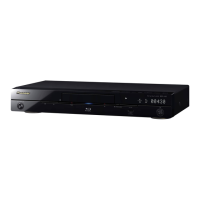
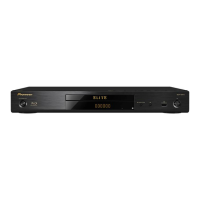
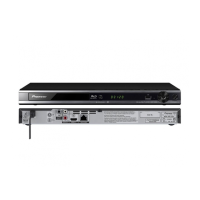
Front Panel
1 STANDBY/ON – Press to turn the power on and
off. When the power is on, the indicator is lit.
2 FL OFF indicator – Lights when the player’s front
panel display is turned off pressing FL DIMMER.
3 / – Press to skip to the beginning of the
previous title/chapter/track/file. Press and hold to
start reverse scanning (page 25).
/ – Press to skip to the beginning of the next
title/chapter/track/file. Press and hold to start forward
scanning (page 25).
– Press during playback to pause. Press agai
n to
restart pla
yback.
– Press to stop playback.
When the power is on, the above button indicators are
lit.
4 Remote control sensor – Point the remote control to
this, then operate it within approximately 7 m.
The player may have trouble capturing remote control
signals if there is a fluorescent light nearby. If this
happens, move the player away from the fluorescent
light.
5 Disc tray
6 Blu-ray indicator – Lights when the power is turned
on.
7 OPEN/CLOSE – Press to open and close the disc
tray.
8 Front panel display
9PQLS indicator – (page 14)
10 HDMI indicator – (page
13)
11
– Press to start playback.
Front
panel
display
Indicators
Front
panel
buttons
Blu-ray PQLS
HDMI
1
1. This lights when an HDMI-compatible device is connected to an
HDMI OUT terminal (page 13).
FL OFF
Bright Lit Bright Lit Lit Off
Medium Lit Bright Lit Lit Off
DarkLitDarkLit Lit Off
OffOffOffOffOff Lit
1
11
542 7 86 93
10
LX52_VXJ5_IBD_EN.book 11 ページ 2009年3月3日 火曜日 午後7時29分



 To Next Page
 Loading...