01
12
En
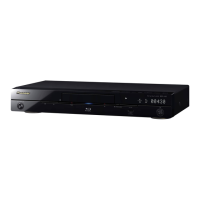
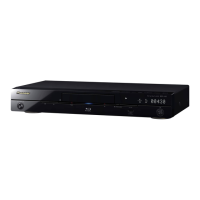
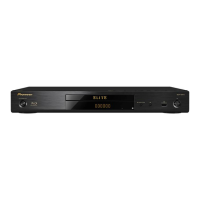
Front Panel Display
1 – (page 24)
2 – (page 24)
3HD – This lights when an HDMI cable is connected
and video signals are being output with a resolution of
1080/50i, 1080/50p, 720/50p, 1080/24p , 1080/60i,
1080/60p or 720/60p. It also lights when a component
video cable is connected and video signals are being
output with a resolution of 1080/60i or 720/60p.
4LAN – (page 17)
5 Character display – Displays the title/chapter/track
number, elapsed time, etc.
6 24HZ/50HZ/60HZ – The frequency of the video frame
or field being output lights.
7EXT – (page 16)
8CONTROL – (page 14)
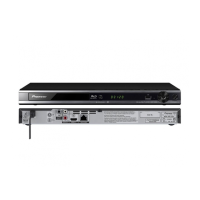
Rear Panel
1 AUDIO OUT terminals – (page 16)
2 VIDEO OUT terminals
VIDEO – (page 16)
COMPONENT VIDEO – (page 16)
3AC IN – (page 17)
4 CONTROL IN terminal – Use to control this player
from the remote sensor of another Pioneer
component with a CONTROL OUT terminal and
bearing the mark. Connect the CONTROL OUT
terminal of the other component to CONTROL IN on
this player using a mini-plug cord (commercially
available).
Caution
•Be sure to connect cables for outputting the audio
and video signals.
• When connected via System Control, point the
remote control toward the connected component
(such as an AV receiver or ampli
fier).
The r emote will
not work correctly when pointed at this player.
• You cannot use System Control with components that
do not have a System Control terminal or with
components manufactured by companies other than
Pioneer.
5 DIGITAL OUT (OPTICAL) terminal – (page 16)
6 HDMI OUT terminal – (page 15)
7USB (BD STORAGE) port – (page 16)
8 LAN (100) terminal – (page 17)
9 RS-232C terminal – This terminal is not used.
LANHD
24HZ
50HZ
60HZ
CONTROL
EXT
1
5678
2
43
AC IN
LAN (100)
HDMI OUT
OUTPUT
COMPONENT VIDEO
DIGITAL
OUT
OPTICAL
CONTROL
IN
Y
R
AUDIO
VIDEO
L
P
B
P
R
RS-232 C
USB
(BD STORAGE)
3
8 7 6 5 4
21
9
LX52_VXJ5_IBD_EN.book 12 ページ 2009年3月3日 火曜日 午後7時29分



 To Next Page
 Loading...