
 To Next Page

J
james55Aug 15, 2025
What to do if my Pioneer Receiver disc is dirty?
- DDawn LynchAug 15, 2025
If the disc in your Pioneer Receiver is dirty, clean the disc.

What to do if my Pioneer Receiver disc is dirty?
If the disc in your Pioneer Receiver is dirty, clean the disc.
What to do if my Pioneer Receiver disc is scratched?
If the disc in your Pioneer Receiver is scratched, replace the disc.
What to do if my Pioneer Receiver inserted disc is blank?
If the inserted disc in your Pioneer Receiver is blank, replace the disc.
What to do if my Pioneer Receiver has unsupported CD format?
If your Pioneer Receiver displays 'Unsupported CD format', replace the disc.
What to do if my Pioneer Receiver says AMP ERROR?
If your Pioneer Receiver displays 'AMP ERROR', it indicates an incorrect speaker connection or activation of the protective circuit. Check the speaker connections. If the error persists after switching the engine off and on, seek assistance from your dealer or an authorized Pioneer Service Station.
What to do if my Pioneer Receiver shows ERROR-07, 10, 11, 12, 15, 17, 30, A0?
If your Pioneer Receiver displays ERROR-07, 10, 11, 12, 15, 17, 30, A0, it signifies an electrical or mechanical error. Try turning the ignition switch off and then back on. Alternatively, switch to a different source and then back to the CD player.
Why is a subfolder not playing back on my Pioneer Receiver?
A subfolder might not play back on your Pioneer Receiver because subfolders cannot be played when FLD (folder repeat) is selected. Select another repeat play range.
How to fix 'NO XXXX' appearing on Pioneer Receiver when display is changed?
If 'NO XXXX' (e.g., NO TITLE) appears on your Pioneer Receiver when a display is changed, it means there is no embedded text information. Switch the display or play another track/file.
How to stop the repeat play range from changing unexpectedly on my Pioneer Receiver?
If the repeat play range changes unexpectedly on your Pioneer Receiver, select the repeat play range again.
Details the unit's classification as a Class 1 Laser Product.
Advises on actions to take if the unit malfunctions.
Guides through language, clock, and FM step settings.
Covers basic radio operations, tuning, and station storage.
Utilizing PTY functions for RDS station searching.
Searching for radio stations based on program type information.
Configuration options for FM settings, memory, and tuning features.
Instructions for using CDs and USB storage devices.
Enhancing compressed audio quality and its settings.
Detailed settings for audio output, including fader, balance, and EQ.
Selecting and customizing equalizer presets.
Adjusting loudness compensation and subwoofer output.
Applying bass boost and setting the high pass filter.
Detailed explanation of HPF settings for speaker output.
Accessing and adjusting system-wide settings.
Accessing and configuring initial menu functions.
Critical notes regarding safe and proper installation.
Detailed instructions for connecting the power cord.
Instructions for connecting an optional external power amplifier.
Guidance on mounting the unit in the vehicle dashboard.
Addresses common issues and their potential causes and solutions.
Lists common error codes for AMP, CD player, and USB devices.
Specific troubleshooting for AMP ERROR messages.
Troubleshooting specific error codes related to CD playback.
Troubleshooting common USB device errors and compatibility issues.
Addressing issues like N/A USB, CHECK USB, and communication errors.
Details on compatibility for WMA, MP3, and WAV audio files.
Comprehensive technical specifications for the unit.
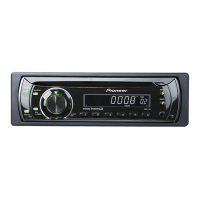
 General
| Audio system | MOSFET |
|---|---|
| MP3 playback | Yes |
| DVD Audio playback | No |
| Audio formats supported | MP3, WAV, WMA |
| Supported radio bands | AM, FM |
| Preset stations quantity | 24 |
| Product color | Black |
| Ready for iPod | - |
| Volume control | Rotary |
| Disc types supported | CD, CD-R, CD-RW |
| Audio output channels | 4.0 channels |
| Equalizer bands quantity | 5 |
| Maximum power per channel | 50 W |
| Display type | LCD |
| Display number of lines | 1 lines |
| USB version | 2.0 |
| Line outputs (RCA) | 1 |
| Key illumination color | Red |