To Next Page
A
Andrew MayAug 15, 2025
How to turn off demo mode on Pioneer DEH-5450SD?
- AAlicia CunninghamAug 16, 2025
To cancel demo mode, press and hold the on/DISP button. Alternatively, turn off the demo display setting.

How to turn off demo mode on Pioneer DEH-5450SD?
To cancel demo mode, press and hold the on/DISP button. Alternatively, turn off the demo display setting.
What to do if cellular phone is currently being operated with Pioneer DEH-5450SD?
If a Bluetooth connected cellular phone is currently being operated, do not operate the cellular phone at this time.
Why is there no sound on my Pioneer DEH-5450SD during a Bluetooth call?
If there is a call in progress on a Bluetooth connected cellular phone, the sound will be played back when the call is terminated.
What to do if Pioneer DEH-5450SD Car Receiver displays ERROR-23 Unsupported CD format?
If your Pioneer Car Receiver displays 'ERROR-23 Unsupported CD format', the disc format is not supported. Replace the disc with one that is compatible.
What to do if Pioneer DEH-5450SD displays ERROR-15 The inserted disc is blank?
If your Pioneer Car Receiver displays 'ERROR-15 The inserted disc is blank', it means the disc is blank. Replace the disc with a valid one.
Why does the audio output direction switch automatically on my Pioneer Car Receiver?
When Bluetooth and USB connections are used simultaneously, the audio output direction on your Pioneer Car Receiver may switch automatically. Use the iPod to change the audio output direction.
What to do if display scrolling is stopped automatically on Pioneer Car Receiver?
If the display scrolling on your Pioneer Car Receiver stops automatically, it may be because the temperature around the unit is 10°C or less. Wait until the temperature warms back up.
What to do if movie playback is stopped automatically on Pioneer DEH-5450SD Car Receiver?
If movie playback on your Pioneer Car Receiver stops automatically, it might be because the temperature around the unit is 10°C or less. Allow the unit to warm up.
What to do if Bluetooth connection is not terminated properly on Pioneer Car Receiver?
If a call was made and immediately terminated on a Bluetooth connected cellular phone, and communication between the Pioneer Car Receiver and the phone was not terminated properly, reconnect the Bluetooth connection between the unit and the cellular phone.
How to fix electrical interference with Pioneer DEH-5450SD Car Receiver?
If you are experiencing electrical interference with your Pioneer Car Receiver, you may be using a device that transmits electric waves near the unit. Move electrical devices that may be causing the interference away from the unit.
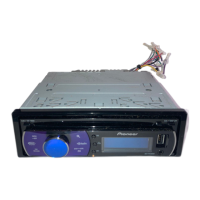
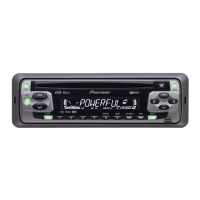
General information about the Pioneer DEH-6450BT/DEH-5450SD unit.
Guidance for troubleshooting operational issues with the unit.
Information on how the demonstration mode functions and how to control it.
Explains how the manual refers to storage devices and iPods for clarity.
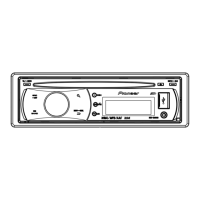
Identification and layout of buttons and features on the DEH-6450BT/DEH-5450SD main unit.
Explains the functions and operation of the remote controller for the unit.
Guides the user through the initial setup process after installation.
Covers fundamental operations like handling the front panel and selecting sources.
Specific instructions for using and maintaining the remote control.
Details on operating the radio tuner, including band selection and tuning modes.
Instructions for playing music from discs and USB/SD storage devices.
How to connect and operate an iPod with the unit, including browsing and playback.
Explains how to adjust various audio settings like fader, balance, and EQ.
Guide to connecting and using Bluetooth features like hands-free calling and audio streaming.
Covers settings like language, calendar, clock, and other system configurations.
Describes additional features such as AUX input and MIXTRAX technology.
Important warnings and guidelines for making electrical connections during installation.
Step-by-step instructions for physically installing the unit in a vehicle.
Specific guidance on how and where to mount the microphone for optimal performance.
Provides solutions for common symptoms and problems encountered with the unit.
Lists potential error codes and their corresponding causes and solutions.
Details supported file formats and specifications for audio playback.
Lists compatible iPod models and software versions supported by the unit.
Explains how the unit handles the order of audio files and provides tips for specifying playback sequence.
Lists the Bluetooth profiles supported by the unit for device compatibility.
Legal information regarding trademarks and copyrights associated with the product.
Technical details and specifications of the unit, including dimensions, power, and audio output.
 General
| Brand | Pioneer |
|---|---|
| Model | DEH-5450SD |
| Category | Car Receiver |
| Language | English |