111
The System Setup and Other Setup menus
12
Making network settings using Safari
1 Launch Safari on your computer.
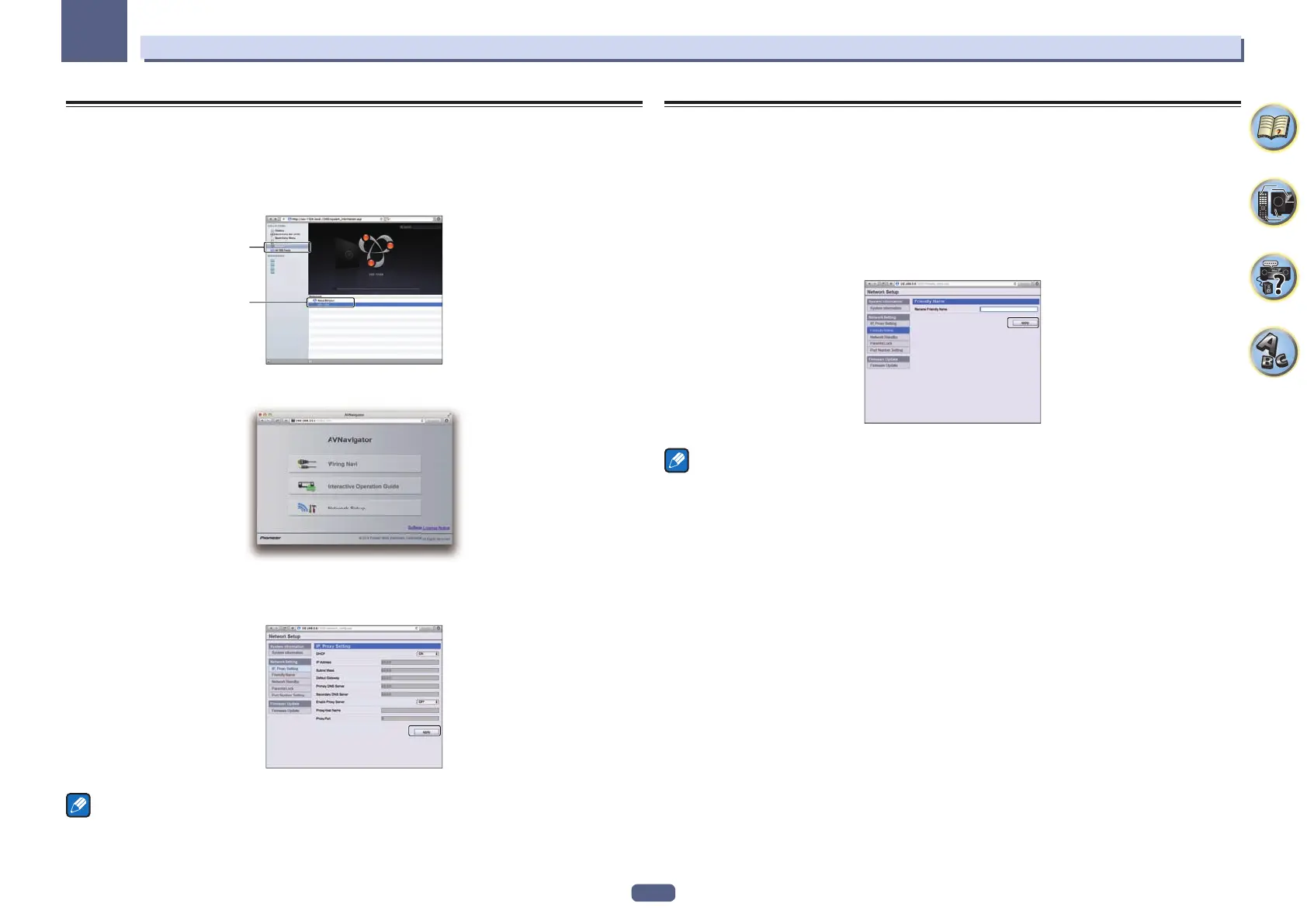
2 Press Bookmark icon. Click Bonjour list (a), and then select this receiver’s name
(Friendly Name) (b) in Bookmark.
If Bonjour list is not displayed, access the IP address“http://(the receiver’s IP address)” from Safari.
a
b
3 On the AVNavigator menu screen, select Network Setup.
4 Click IP, Proxy Setting.
5 Setup the network settings manually and then press Apply.
Note
This setting for the network has been confirmed for Mac OS X 10.7 and Safari 5.1.
Using Safari to set a friendly name
1 Launch Safari on your computer.
2 Press Bookmark icon. Click Bonjour list (a), and then select this receiver’s name
(Friendly Name) (b) in Bookmark.
If Bonjour list is not displayed, access the IP address“http://(the receiver’s IP address)” from Safari.
3 On the AVNavigator menu screen, select Network Setup.
4 Click Friendly Name.
5 Input a friendly name, then press Apply.
Note
This setting for the network has been confirmed for Mac OS X 10.7 and Safari 5.1.



 To Next Page
 Loading...








