12
> Before Start > Part Names >Install > Initial Setup > Playback
Advanced Setup | Firmware Update | Others
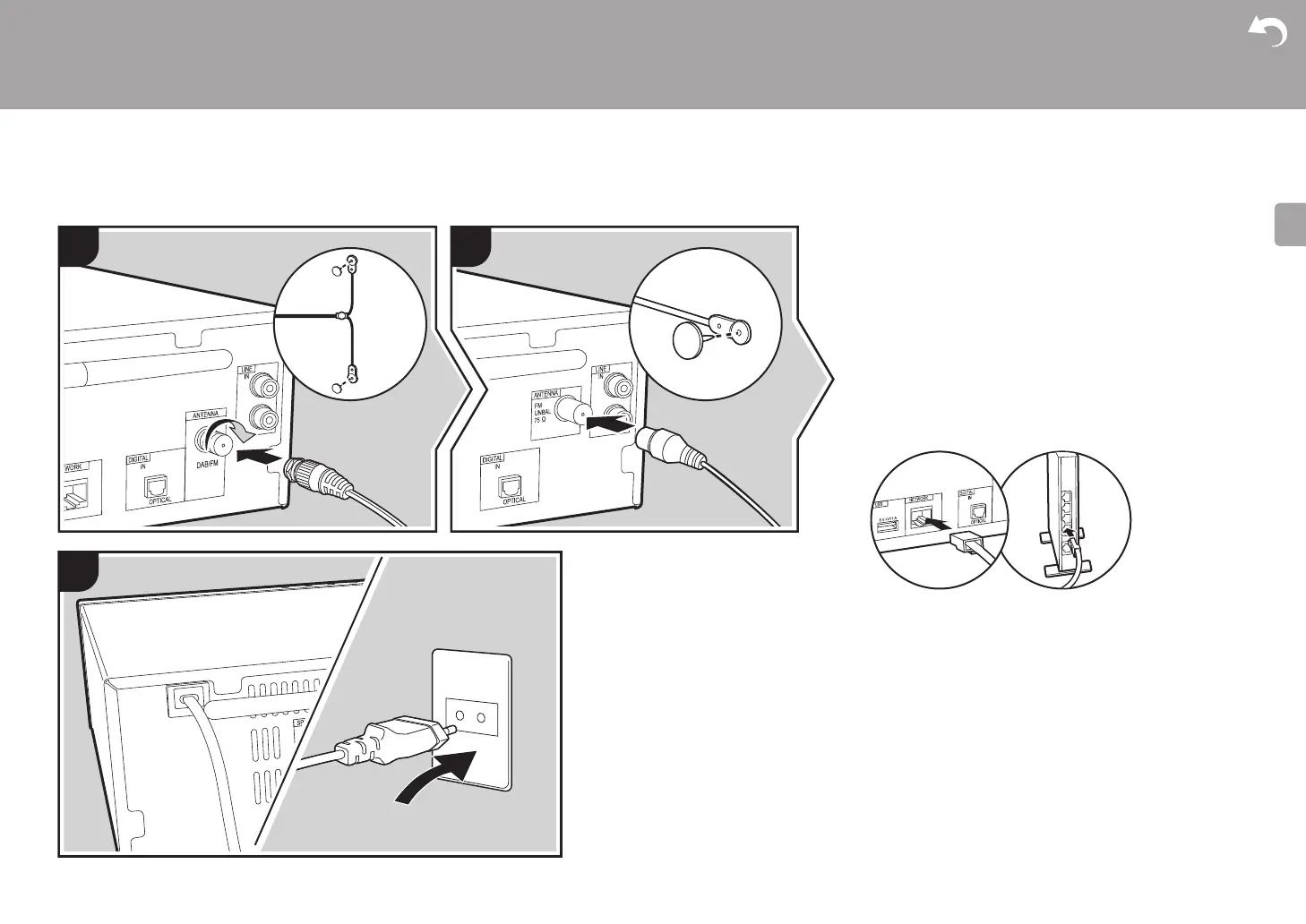
Connecting the antennas and power cord, etc.
X-HM76D, X-HM86D, XC-HM86D X-HM76
Antenna Hookup
Move the antenna around while playing the radio to find the
position with the best reception.
Power Cord Hookup
Connect the power cord to the power outlet after completing
all other connections.
To connect to the network with an ethernet cable, use the
NETWORK jack. When using Wi-Fi connection, make
settings in initial settings (ÄP13). You can enjoy features
such as internet radio and AirPlay by connecting to the
network.
a DAB/FM wire antenna, b Indoor FM antenna, c Power cord


 To Next Page
 Loading...