34
> Before Start > Part Names > Install > Initial Setup >Playback
Advanced Setup | Firmware Update | Others
Entering text, adjusting sound quality, etc.
Entering text
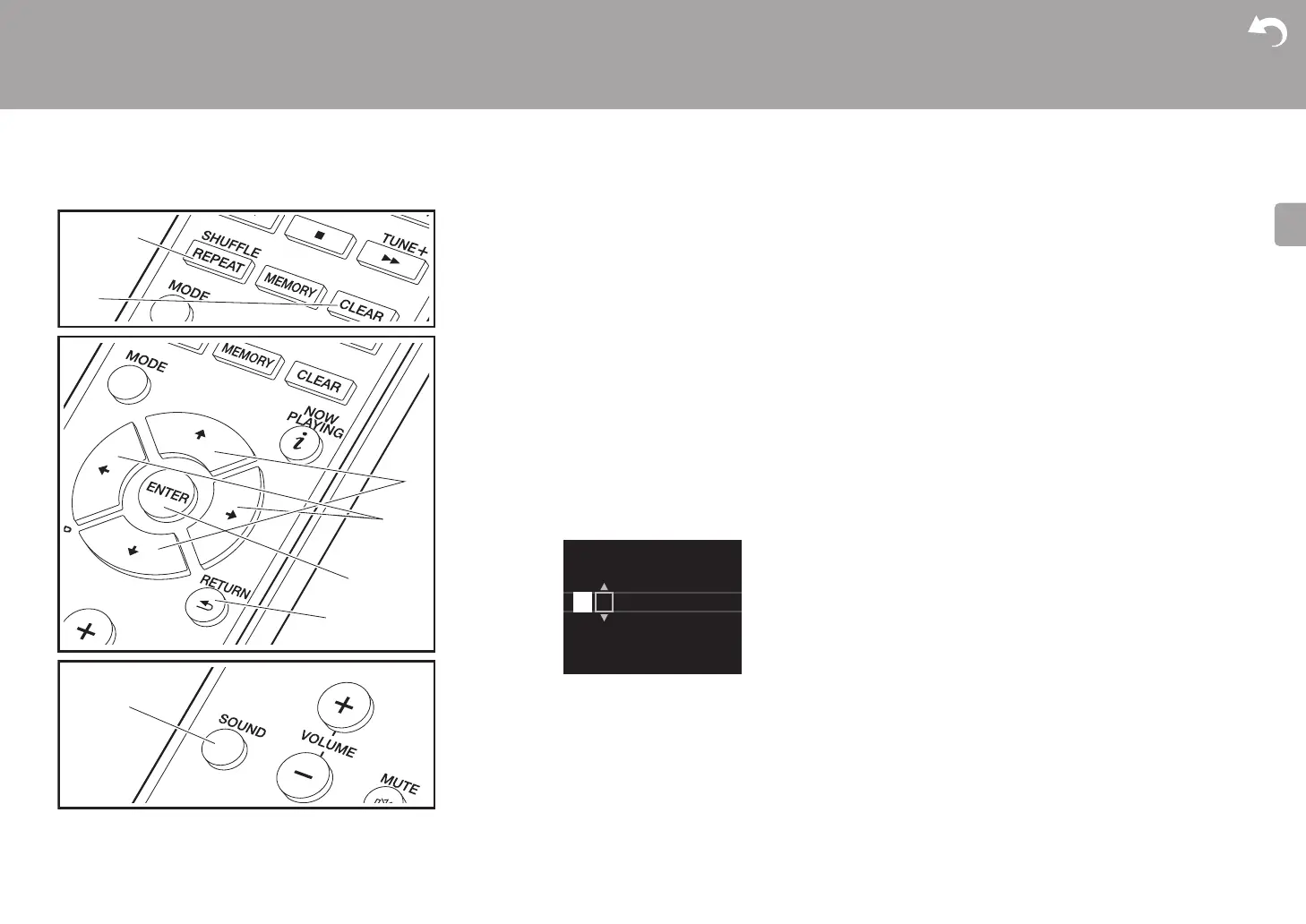
Text entry, for passwords, etc., uses the following remote
controller buttons.
SHUFFLE/REPEAT button (a): Each press changes text
type in the order upper case → lower case → numbers →
symbols.
y/z buttons (c): Each press changes the character.
w/x buttons (d): Move the position (cursor position) where
the character is to be entered.
CLEAR button (b): Deletes the character in the cursor
position.
ENTER button (e): Confirms the entered content.
RETURN button (f): Cancels input and returns you to the
previous display.
Adjusting the sound quality
Adjusting the bass (BASS)
1. Press SOUND button (g).
2. Press w/x buttons (d) to adjust the bass. (s5 to i5)
Adjusting the treble (TREBLE)
1. Press SOUND button (g) twice.
2. Press w/x buttons (d) to adjust the treble. (s5 to i5)
Emphasizing the low range (P.BASS)
1. Press SOUND button (g) three times.
2. Press w/x buttons (d) to select "On" and press ENTER
(e).
b
a
f
e
c
d
g
Password
A
Delete One Character[CLEAR]
Change Text[REPEAT]


 To Next Page
 Loading...