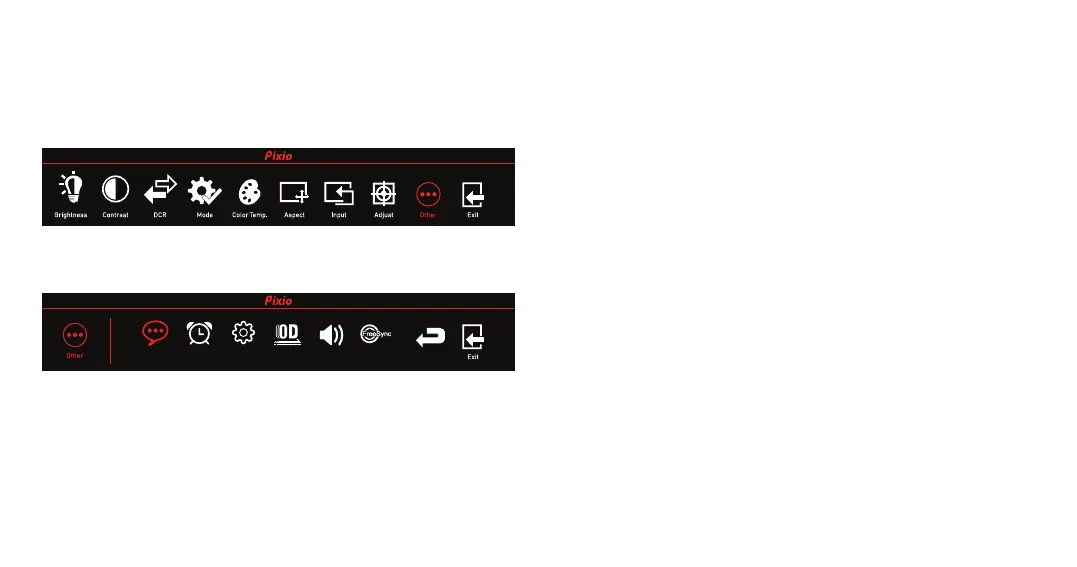
OTHER
•Language: Change the OSD menu display language.
•Power Off: ON: Automatically turn off after saving power for 1min.
OFF: Inactivate the function of timed switch-off.
•Reset: Select from YES or NO.
•OD(Over Driver): Turn OD ON or OFF.
ON: Reduce Motion Blur
OFF: Normal Mode
•Volume: Adjust the volume value from 0 to 100.
•FreeSync: Turn FreeSync ON or OFF.
ReturnLanguage Power Off Reset FreeSyncVolumeOD


 To Next Page