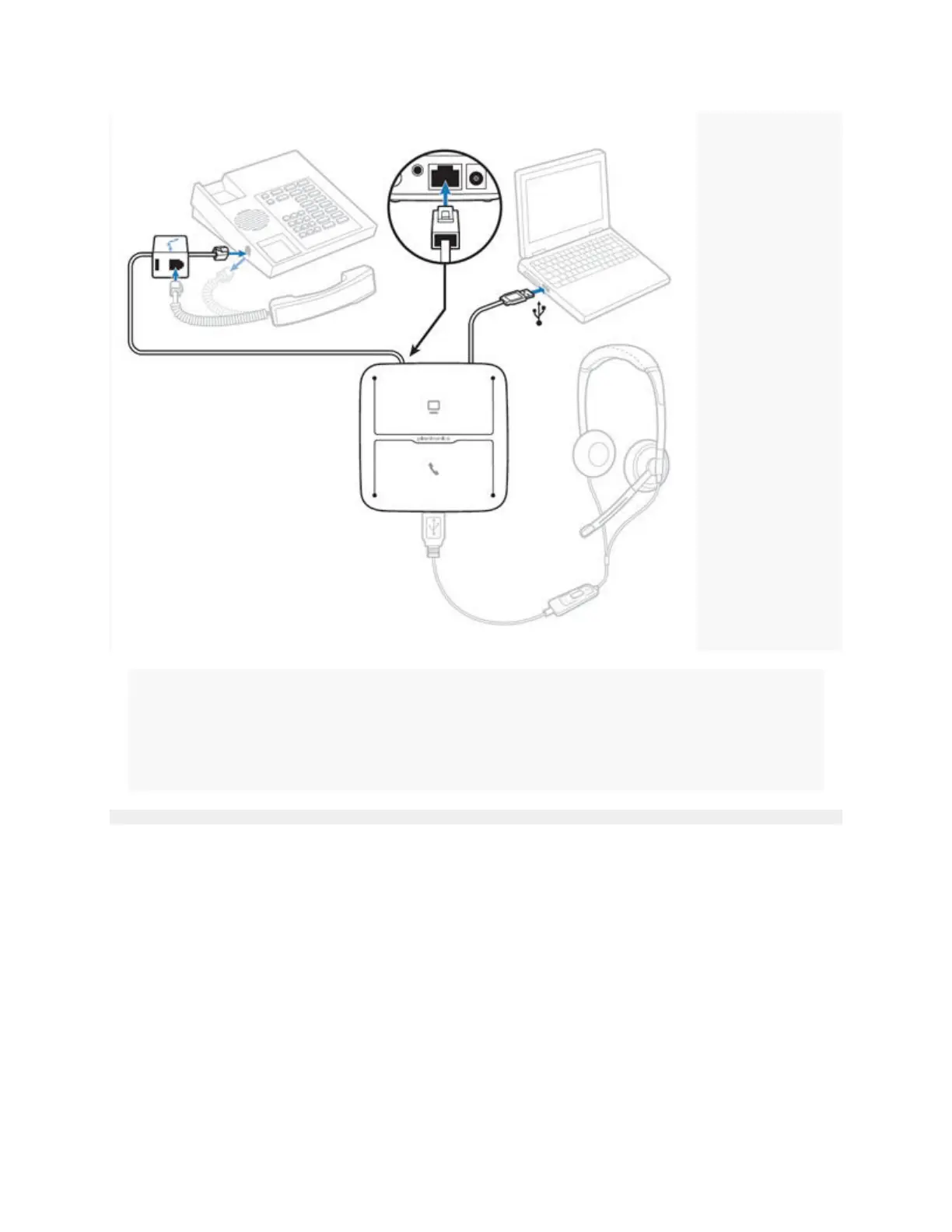
1. Plug the MDA200 into the USB port on your computer OR plug the AC power supply (purchased
separately) into the wall.
2. Unplug your telephone's handset.
3. Plug the large (RJ45) end of the telephone connection cable into the MDA200.
4. Plug the small (RJ9) end of the telephone connection cable into the handset port of your telephone.
5. Plug your telephone's handset into the handset port on the MDA200's telephone connection cable.
6. Plug your Plantronics supported USB corded headset or wireless USB headset adapter to the MDA200
headset port.
To use the MDA200 with your computer only:



 To Next Page