HOLSTER CASE
QUICK SETUP GUIDE
Before using your new product,
please read these instructions to prevent any damage.
INSTALL THE CASE
1 Press down on the arrow while pulling the case apart.
2 Slide your phone into the top case (A), then slide the bottom
case on until it clicks into place (B).
ATTACH THE HOLSTER
1 Insert your phone into the bottom of the holster (A),
then push the top of the phone into the holster until it
snaps into place (B).
TIP: Insert your phone screen in for better protection.
2 Rotate the clip (if needed), then squeeze the top of the
clip to open it and attach it to your belt or bag.
A
B
A
B
Final at size : 190.5 x 133.35 mm
Final fold size : 63.5 x 133.35 mm
generic Platinum holster case_15-0498_QSG_V1_EN.ai 1 5/27/2015 11:33:46 AMgeneric Platinum holster case_15-0498_QSG_V1_EN.ai 1 5/27/2015 11:33:46 AM

 Need help?
 General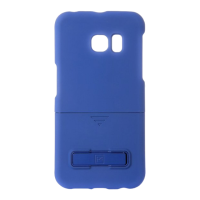

 To Next Page