8
Reconnecting the device to a previously paired console: Turn the console on, and
press the PS / Home button for 1 second to turn the game controller on; the game
controller should automatically connect to the console.
Waking the Game Controller Up
The game controller turns to the sleep mode after 30 seconds searching but cannot
is unable to connect to the console, or when it is not being used for 10 minutes under
the connected mode. Press the PS button for 1 second to wake game controller up.
Connecting to a mono headset
For in-game voice chat, plug the mono headset into your controller’s stereo headset
jack.
Sharing your gameplay online
Press the SHARE button and choose one of these options for sharing your gameplay
online (follow the steps on the screen).
Using SKILL 10.0 with a PC
Please refer to the keycode correspondence table below when using the gamepad
with a PC.
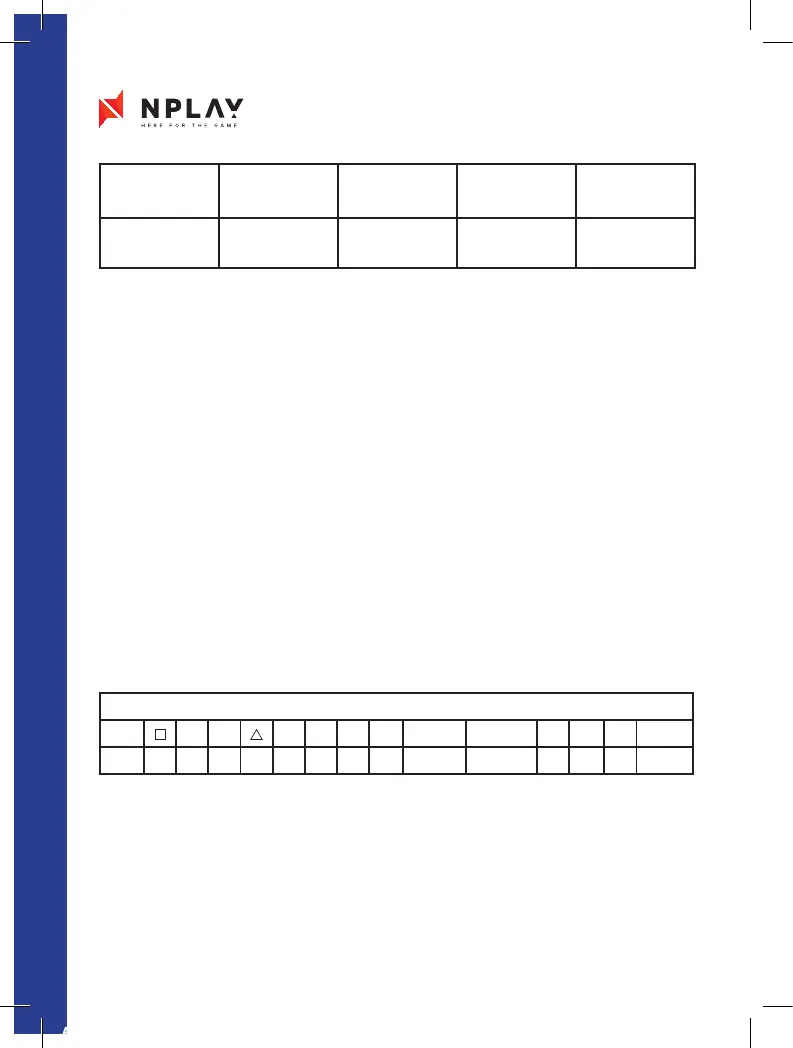
PS4 vs PC Keycode Compare Form
PS4
X O L1 R1 L2 R2 SHARE OPTION L3 R3 PS T-PAD
PC 1 2 3 4 5 6 7 8 9 10 11 12 13 14
Player
Player 1 /
Gamepad 1
Player 2 /
Gamepad 2
Player 3 /
Gamepad 3
Player 4 /
Gamepad 4
Gamepad light
color
Blue Red Green Pink
AF Manual COMANDO SKILL 10.0_2075BPS NPlay 125x170.indd 8 25/06/2019 10:30


 To Next Page