KEEP OUT
TV Mode
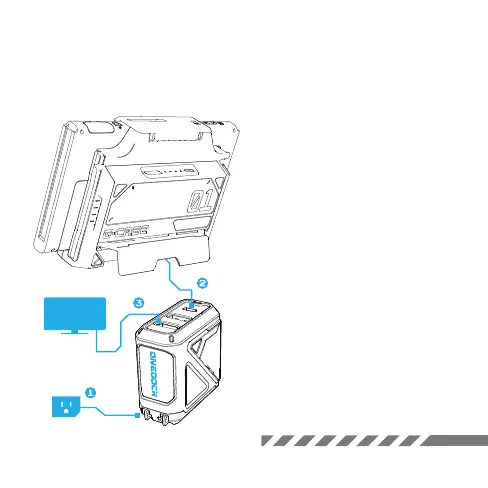
TV Connection
1. Plug in the OneDock to a wall
outlet; 2. Connect the G-case to the
USB-C port on the OneDock with the
original Type-C cable; 3. Put one end of
the HDMI cable into the terminal of the
OneDock and connect the other end
into the HDMI port on the TV.
*Note: Please do not use the USB-A port
on the dock to connect the G-case.



 To Next Page