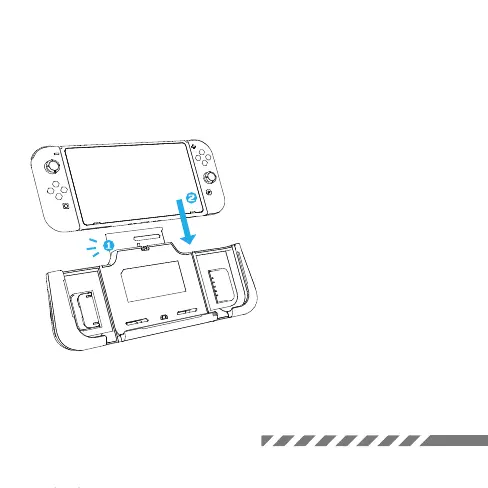
Handheld Mode
Attach your Switch
1. Open the top flap of the G-case.
2. Slide Switch down till it sits
properly. Then snap on the flap.
KEEP OUT
*Note: G-case comes in two models:
one for Switch Regular and one for
Switch OLED. Make sure you choose
the right one to fit perfectly.



 To Next Page