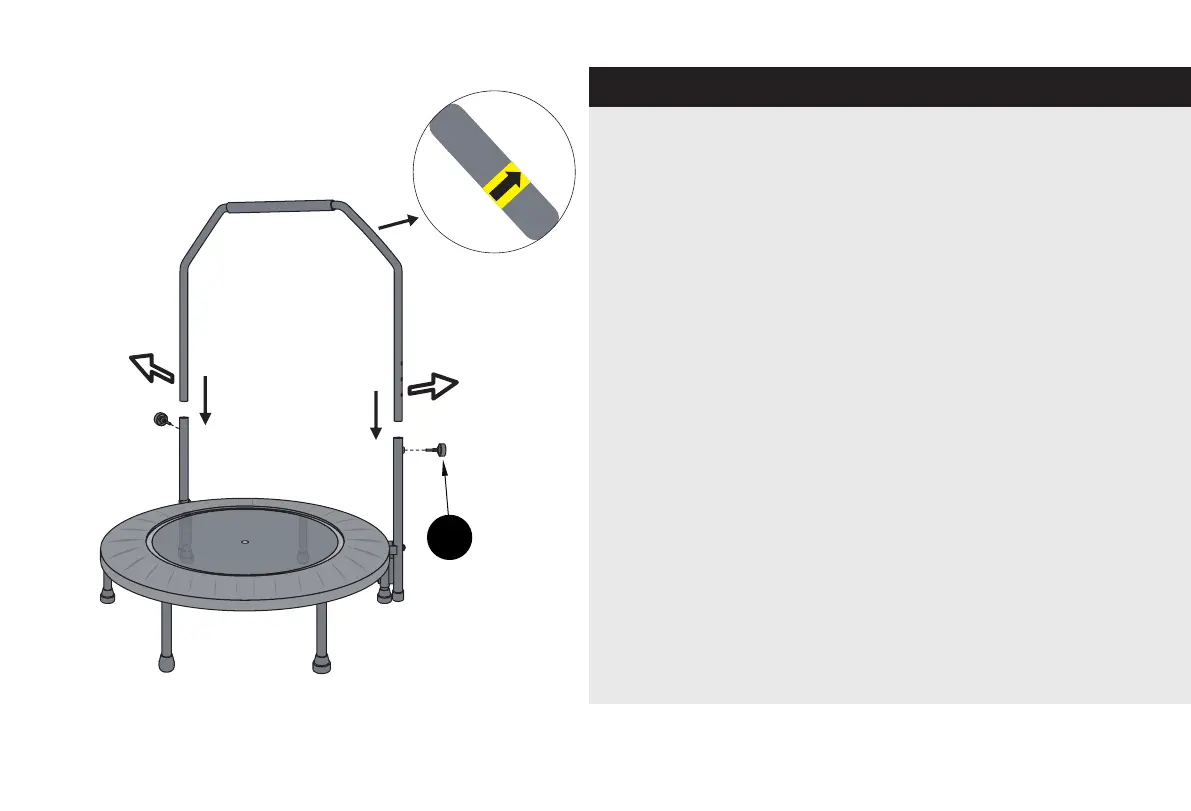
Step 5
Note: There is a Yellow Arrow Scker on the handrail
as shown, make sure it’s towards outwards.
Then insert Handle Bar (2) into Vercal Handrail.
If you have trouble to insert, slightly adjust both
Vercal Handrails towards le or right to make it
vercally.
Adjust the Handle Bar Height to fit your height,
then secure it using Height Adjust Bolt (E).
There are 3 height levels for users.
Tips: We also stampled 3 horizontal lines near the
Locking Hole. This is to help you locate the locking hole
quickly. If both le/right line is aligned to the
vercal handrail tube top, so the locking hole on both
of the handrail is aligned to each other.
locking hole
locking hole
E
7


 To Next Page