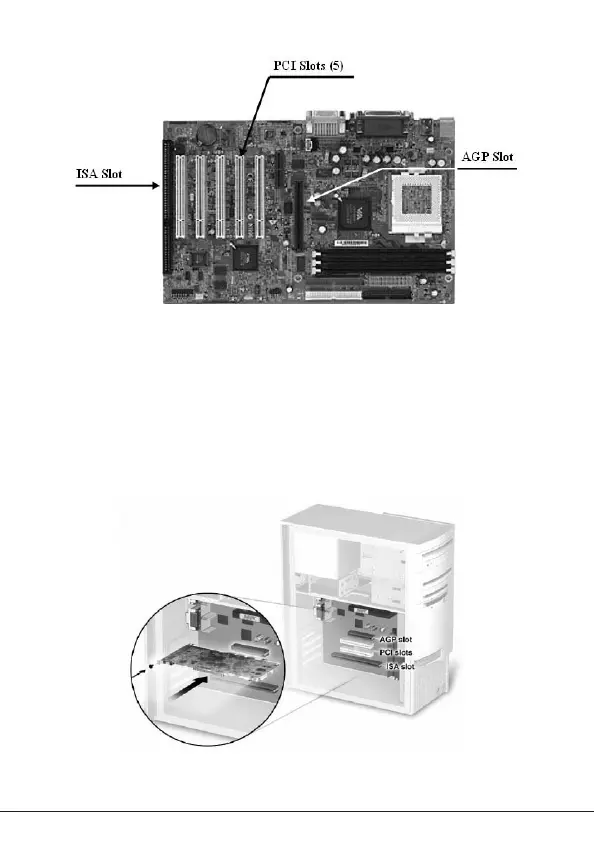
Figure 1: Motherboard Example
Inserting Your Graphics Card
Remove the cover for the slot you intend to use and save the screw for the
mounting bracket of your new VERTO
®
graphics card. Then, position the
VERTO
®
graphics card over the expansion slot that coincides with the type
(AGP or PCI) of card purchased. Push the card firmly and evenly until it’s
fully seated into the slot. Replace the screw to secure the bracket of the
graphics card to the computer chassis. Replace the cover of your computer.
Figure 2: Inserting your graphics card.
4 - GIV 51-03 V1.5



 To Next Page