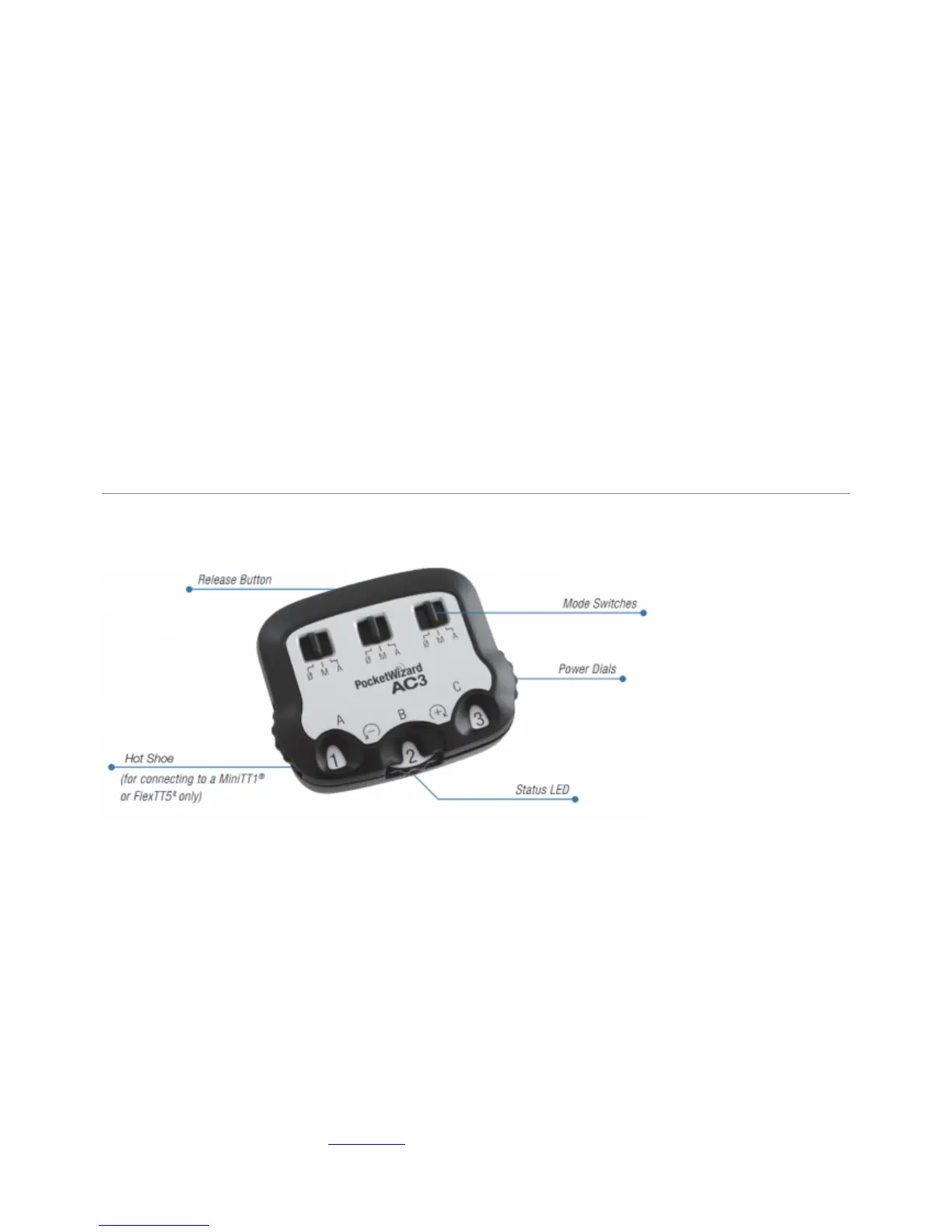
AC3 Quick Start How-To
Slide the AC3 onto your on-camera MiniTT1 or FlexTT5. Power on the transmitter, then the1.
camera.
Set up remote Speedlights on FlexTT5 radios normally. Power on the flash, then the FlexTT5.2.
Set all Speedlights on remote FlexTT5 radios to normal TTL Mode. Do not use Manual or
❍
MASTER / REMOTE on your remote Speedlights. The AC3 will use either Nikon or Canon TTL
commands to control manual power levels when the AC3 Mode Switch is set to M (Manual).
Use the FlexTT5 Zone Switch to assign Zone A, B, or C to the Speedlight.
❍
On the AC3, set the Mode Switches to M (Manual) or A (Auto) for the zones in use.3.
Adjust flash output power with the Power Dials:
❍
+ = Black numbers on a white background increase flash output by the stops shown.
■
– = White numbers on a black background decrease flash output by the stops shown.
■
Note: Make sure the camera is awake (half-press the shutter button) when changing settings
■
to assure AC3 settings are transmitted to remote ControlTL radios.
Take pictures normally. (Note: if you are using Canon radios, your first shot will be a calibration4.
shot and will not trigger your remote flashes)
Operation
Make sure the camera is awake (half-press the shutter button) when changing settings to assure
AC3 settings are transmitted to remote ControlTL radios.
Mode Switches
The mode switches control the modes of operation for ControlTL receiving radios. It also controls
zone on/off for PocketWizard Standard Channel Receivers with Quad-Triggering Zones, like the
MultiMAX, Plus III, or flash packs with built-in PocketWizard radios, when using Standard Channels
17 or higher.
0 = OFF - Flashes will not trigger. Set unused zones to 0.
●
M = Manual Mode - ControlTL compatible flashes will use the manual power output value set on
●
the AC3 Power Dial. See the power dial chart below for more info.



 To Next Page